Annotations
Appends a configurable mark (symbol, footnote, …) to configurable words, or wraps part of a word in an inline tag, during output formatting.
Annotations (TextformatterAnnotations)
A ProcessWire Textformatter that automatically appends a configurable mark
to configurable words during output formatting. The mark can be anything (a
symbol like ©, ®, ™, ℠, a footnote marker, or any short string)
and can optionally be wrapped in a <sup> tag per mapping.
Each string is configured in a small table (operation, mark/part, tag, and the match options). Examples of what it can do:
frameless→frameless®Term→Term<sup>1</sup>(footnote, first mention only)H2O→H<sub>2</sub>Oframeless→<strong>frameless</strong>
Why not Find/Replace?
ProcessWire's TextformatterFindReplace is a full regex engine, so to be clear: you can do all of this with it. With enough PCRE (lookarounds for idempotency, patterns to avoid tags, attributes and e-mail addresses, alternations for every entity spelling, and so on) every behaviour below is expressible.
The point of Annotations is not capability, it is who writes and maintains it:
- No regex to write or maintain. The tricky parts (only touch text not
markup, do not double an existing
®/®/<sup>®</sup>, skip e-mails, longest-match across overlapping phrases, first-occurrence-only) are built in as defaults, not patterns you have to craft and keep correct per term. - Editable by clients. Configuration is a list of strings plus a small per-string table, so non-technical editors manage it themselves (also under Setup, see below). A page of hand-written regex is not something you hand to a client.
Both are output textformatters that run on every render, and capability-wise Find/Replace is a superset. The choice is only this: use Find/Replace if you are comfortable writing and maintaining the regex, use Annotations if you want this annotation job as ready-made, no-regex defaults that a client can edit.
Installation
- Copy the
TextformatterAnnotationsfolder into/site/modules/. - In the ProcessWire admin go to Modules → Refresh, then install Annotations. This also installs the companion ProcessAnnotations.
- Edit a text/textarea field, open the Details tab and add Annotations to the field's Text formatters.
Client-editable settings page
Installing the module adds a page under Setup > Annotations (the companion
ProcessAnnotations module) that shows the same settings as the module config.
It is guarded by the annotations-edit permission, so you can let editors
manage the strings without giving them access to the Modules section: assign
annotations-edit to the relevant role. Superusers can still configure it the
usual way under Modules > Configure > Annotations.
Configuration
Open the module configuration (Modules → Configure → Annotations). The same
form is also available under Setup → Annotations (/setup/annotations/),
which is reachable with the annotations-edit permission, no Modules access
required.
- In Strings, enter one search string per line: nothing else. A string
may contain spaces (e.g.
frameless Media). - Save. A settings row is generated per string under Per-string settings.
- Configure each row and save again.
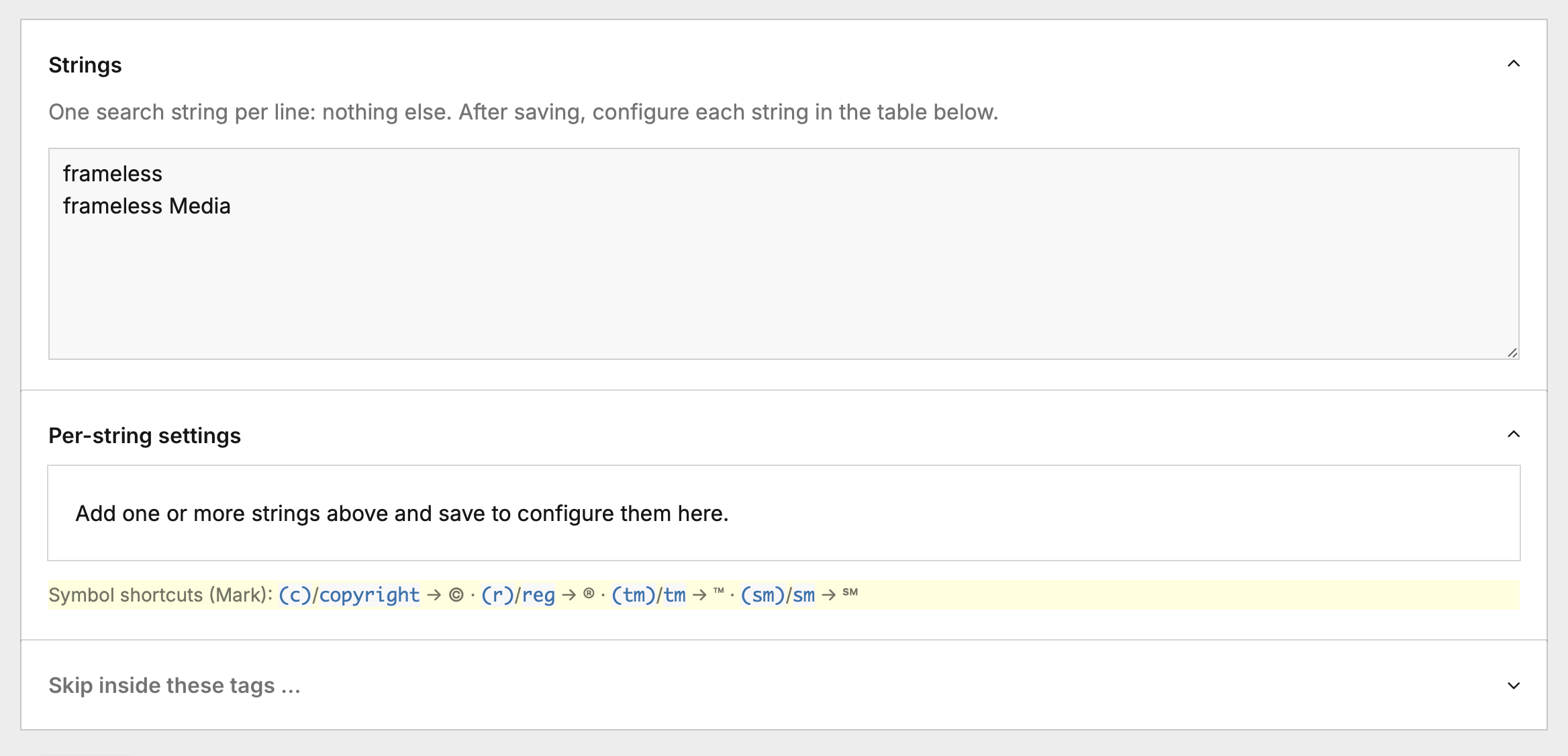
Per-string settings (one row per string)
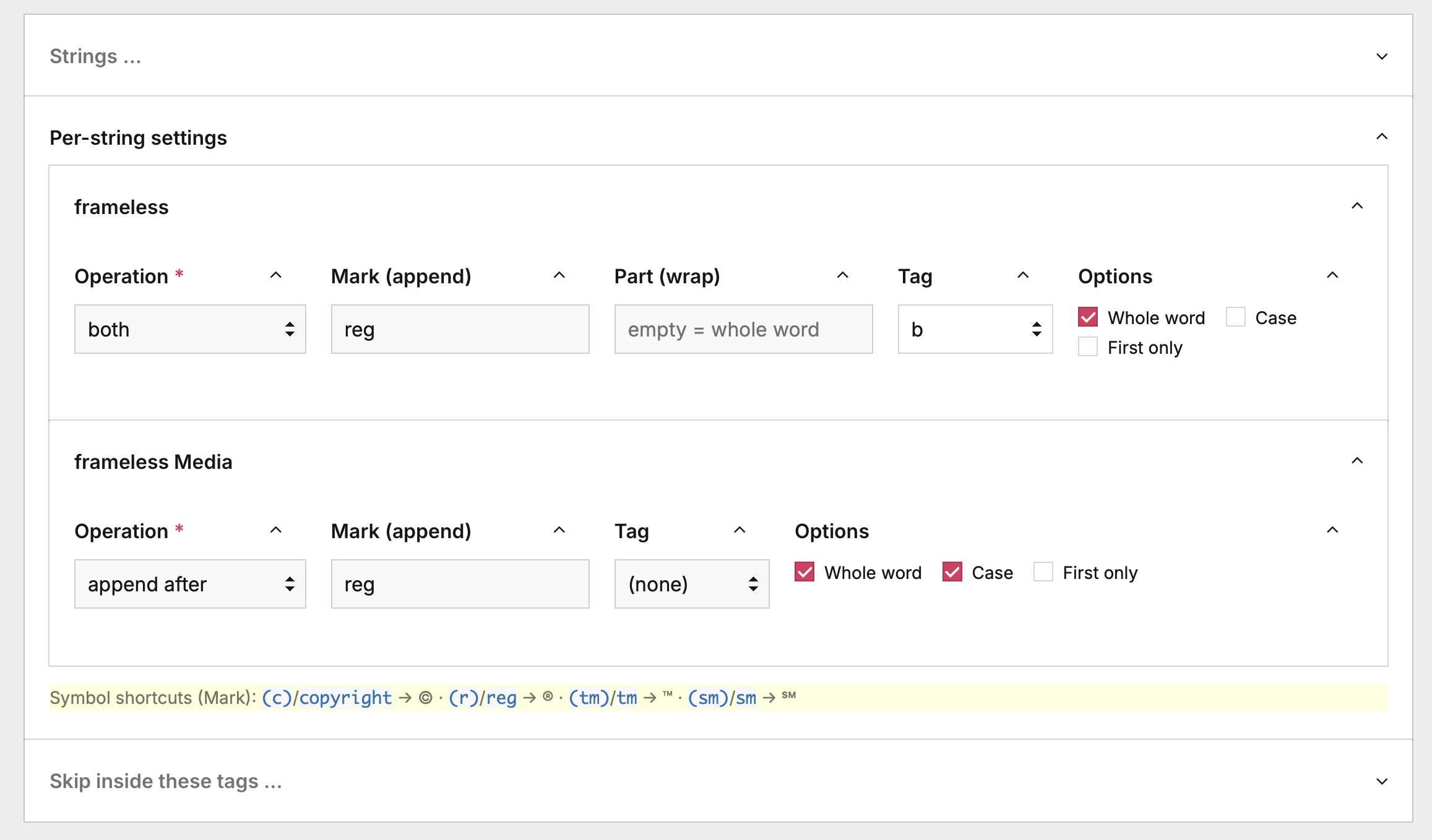
| Column | Meaning |
|---|---|
| Operation | append after: add a mark after the word. wrap inside: wrap part of the word in a tag. both: do both (e.g. bold a word and append ®). |
| Mark (append) | The mark to add: a symbol, footnote, any text (symbol shortcuts below). Shown for append and both. |
| Part (wrap) | The part of the word to wrap: leave empty to wrap the whole word. Shown for wrap and both. |
| Tag | The tag to wrap in. append: (none) = inline, or any tag to wrap the mark. wrap: the tag for the part (defaults to sub). both: styles the wrap; the appended mark stays inline. |
| Options | Whole word (complete words only: cat won't match in category; unicode-aware), Case (case-sensitive), First only (annotate only the first occurrence). |
New rows default to append, whole word on, case on, first off. With both,
e.g. frameless → <strong>frameless</strong>® (wrap whole word in strong,
append ®).
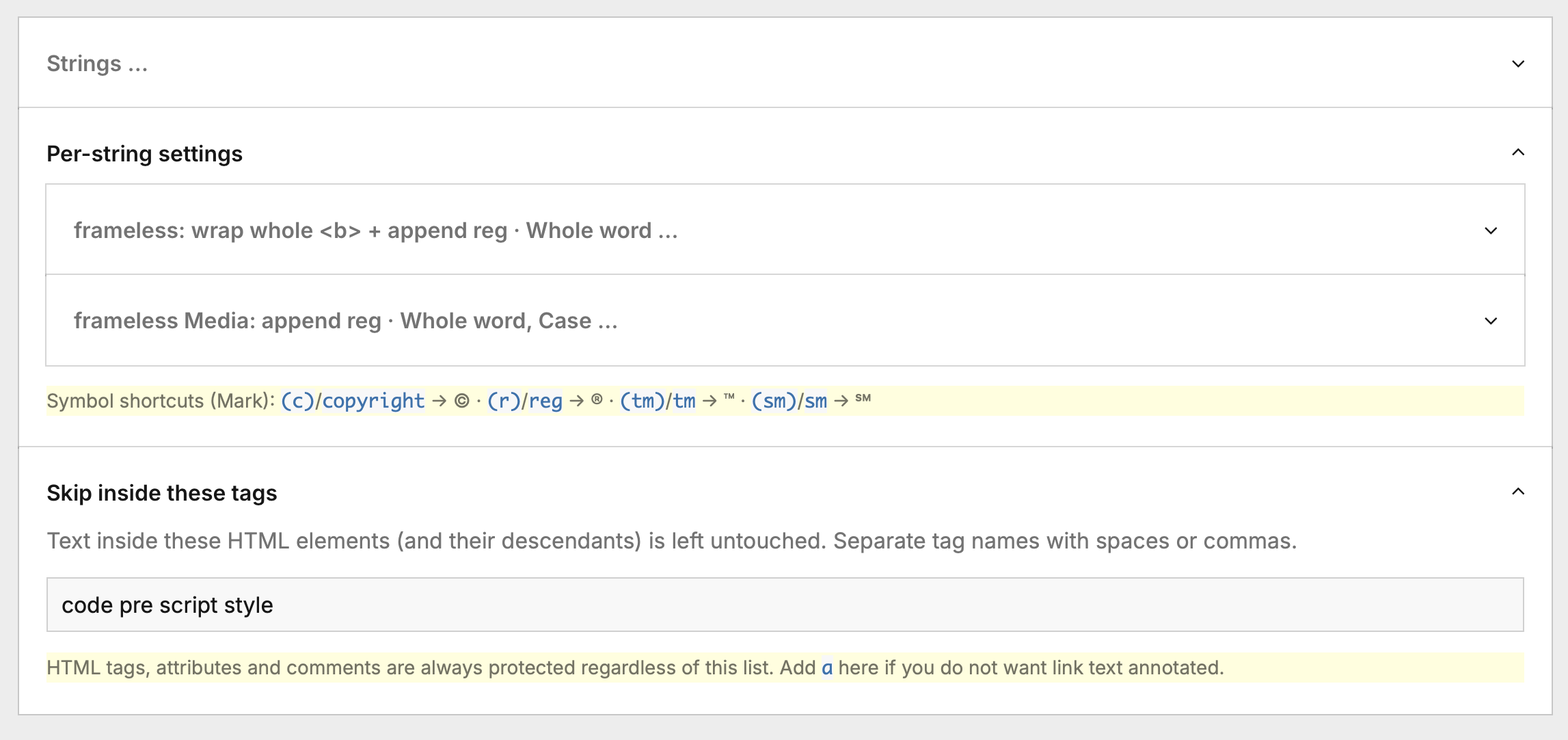
Once configured, each row collapses to a one-line summary of its operation and options:
Allowed wrap tags: sub, sup, b, strong, i, em, u, s, mark,
small, ins, del, code, kbd, samp, var, abbr, cite, dfn,
q, time.
Symbol shortcuts for the Mark field of an append row:
| Shortcut(s) | Symbol |
|---|---|
(c), copyright | © |
(r), reg, registered | ® |
(tm), tm, trademark | ™ |
(sm), sm, servicemark | ℠ |
A single global option remains: Skip inside these tags: text inside the
listed HTML elements (and descendants) is left untouched. Default:
code pre script style. Add a if you do not want link text annotated.
How rows combine
Append rows are applied first, then wrap rows layer on top, so a wrapped
string also styles inside an appended phrase. With frameless Media (append
(r)) and frameless (wrap whole word in strong), the text frameless Media
becomes <strong>frameless</strong> Media®. Within each phase the longest
matching string wins.
The tag is authoritative: an existing mark is normalised to it, keeping its
spelling. An append row with a tag wraps a bare mark (and rewraps a different
tag); an append row with (none) unwraps an existing wrapper. A different
mark next to the word is never touched.
First only annotates the string exactly once per field value. For append,
the first occurrence keeps/normalises its mark and every later one has its mark
removed (including marks already in the source: ©, ©,
<sup>…</sup>). For wrap, only the first occurrence is wrapped. Useful for
footnotes. Protected regions (attributes, e-mails, skip-tags) are ignored when
finding occurrences.
HTML-aware
Replacements are applied to text content only. HTML tags, attributes
(href, alt, class, title, …) and comments are never modified, so a word
inside a URL, an alt text or a class name is left alone:
<a href="/frameless">frameless</a>   →  <a href="/frameless">frameless®</a>
<img alt="frameless logo">           →  <img alt="frameless logo">   (unchanged)
<code>frameless</code>               →  <code>frameless</code>        (unchanged)
Notes
- E-mail addresses are protected. A configured word that is part of an
address is left untouched, e.g. with a
frameless→ ® mapping the textinfo@frameless.atstays as-is (noinfo@frameless®.at). - The formatter never adds a mark twice. If a word is already followed by its
mark (tolerating surrounding whitespace and an existing
<sup>wrapper), it is normalised rather than duplicated. - Symbol entity forms are recognised. For the symbol shortcuts, the named
entity in lower and upper case (
®/®,©/©,™/™) and numeric references (®,®, with leading zeros or either hex case) count as the symbol, soframeless®is never turned intoframeless®®. - When matching is case-insensitive, the original casing of the matched word is preserved.
- Anything between
<and>is treated as markup. In plain-text fields a literala < bmay therefore be skipped; on rich-text/HTML fields (the intended use) this is exactly the desired behaviour.
License
Released under the MIT License. See LICENSE.
More modules by Mikel
ProcessDataTables
Displays customizable backend tables for any ProcessWire template with flexible column selection, per-field output templates, and global formatting options.35Textformatter Smart Quotes
Replaces straight quotes "..." with typographic quotes („...“, “...”, or «...»), in visible text only.30Stripe Payment Links Admin
View customer, purchases & products with configurable metadata columns & filters. Export reports to CSV.21StripePaymentLinks Customer Portal
Adds a ready-to-use /account/ page with login flow, product grid, purchase history table, and direct access to the Stripe Customer Billing Portal19