StripePaymentLinks Customer Portal
Adds a ready-to-use /account/ page with login flow, product grid, purchase history table, and direct access to the Stripe Customer Billing Portal
StripePaymentLinks Customer Portal (ProcessWire)
A lightweight companion module for StripePaymentLinks (SPL) that adds a ready-to-use customer page at /account/ plus small developer helpers (login/account/logout link & profile modal). It integrates with SPL’s own login modal and redirect flow – no duplicate auth – and, when SPL’s Freebies feature is configured, lists the member’s freebies in /account/ automatically.
Optional companion. Freebies, the login procedure (password reset / passwordless login link / registration) and all auth live in StripePaymentLinks core. This module only adds the
/account/hub and its helpers; installing it is not required to sell products or offer freebies.
Requirements
- ProcessWire 3.0.210+
- StripePaymentLinks (SPL) installed & configured
- Bootstrap available on the front-end (SPL can load it automatically)
Product pages expected by the grid:
- Must live on templates listed in SPL →
productTemplateNames - Must set the checkbox/flag
requires_access=1 - (Optional but recommended) have an Images field
The grid will use the first image as the product thumbnail:- if the field doesn’t exist or is empty, the card simply has no image
What this module installs
- Template
spl_account(fieldgroupspl_account) - Page
/account/usingspl_account - Template file
/site/templates/spl_account.phpwith a minimal layout that calls the portal methods
(You can customize this file freely.)
Quick start
Add a login/account/logout link anywhere in your templates:
$modules->get('StripePlCustomerPortal')->renderLoginLink();You can also pass CSS classes or the links label via options:
$modules->get('StripePlCustomerPortal')->renderLoginLink(['class' => 'nav-link text-white', 'label' => 'Custom label']);Behavior (labels are translatable via link.login / link.logout / link.account)
- Logged out → a “Sign in” link that opens SPL’s
#loginModaland sets the intended redirect to/account/. - Logged in on
/account/→ a “Sign out” link (appends?spl_logout=1). - Logged in elsewhere → a “My account” link to
/account/.
The module auto-creates /account/. You can link to it or place the button in your site header.
Login state and render() placement
renderLoginLink() reflects the session, which is established at the start of every
request — so it already shows the correct state (e.g. “Sign out” when logged in) no
matter where you echo StripePaymentLinks::render($page). Echoing render() at the bottom
of the body, just before </body> (the usual place), works fine; the login link in your
header is correct:
<body> <header> <?= $modules->get('StripePlCustomerPortal')->renderLoginLink() ?></header> <main><?= $content ?></main> <?= $modules->get('StripePaymentLinks')->render($page) ?></body>
Account page usage
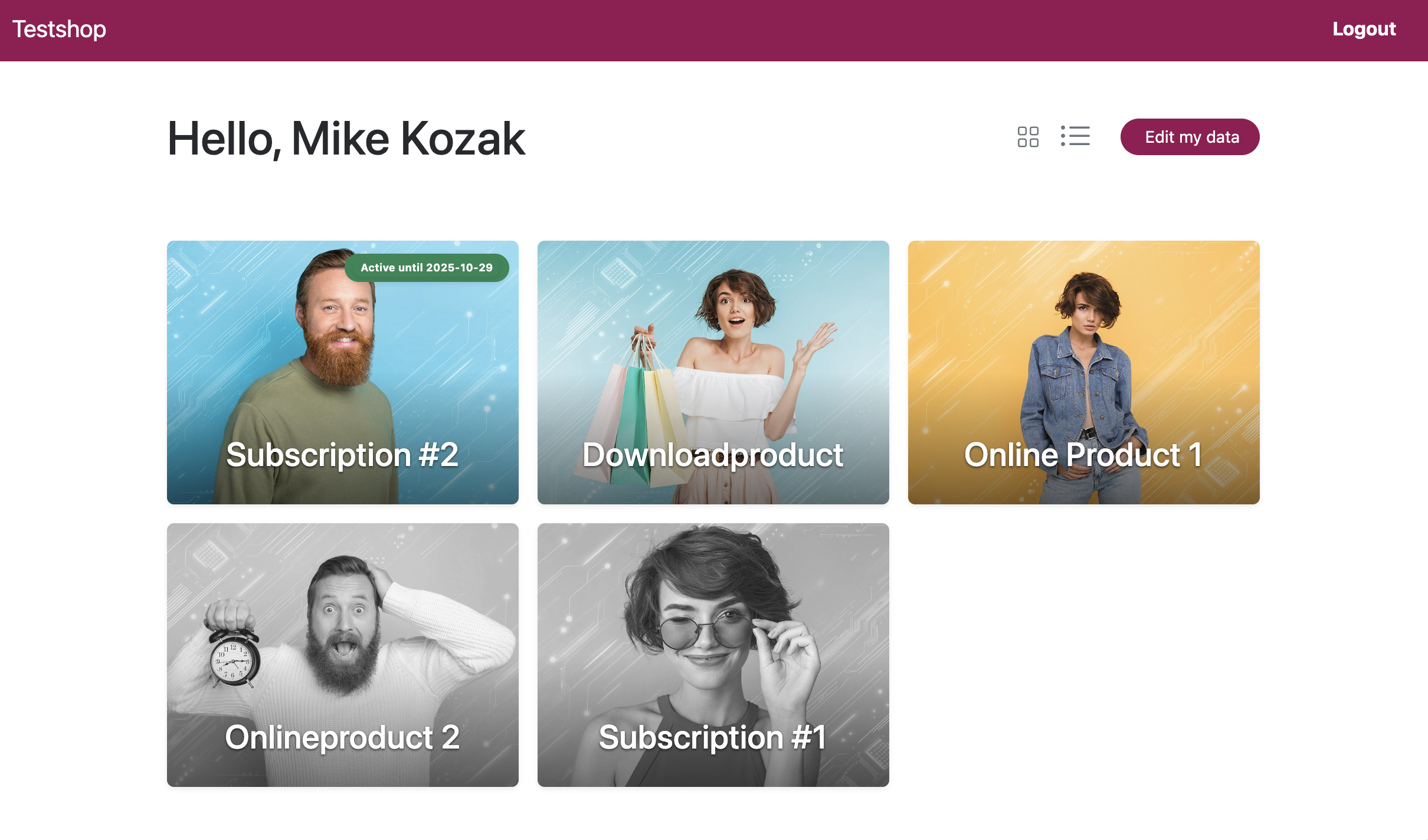
The file /site/templates/spl_account.php is created for you and calls the module’s renderer. It shows:
- a greeting with the member’s first name (via the core’s
firstName()) - page header with view switcher and “Edit my data” button
- the grid of purchased products (and optional “not yet purchased” items)
- a profile edit modal (AJAX + CSRF)
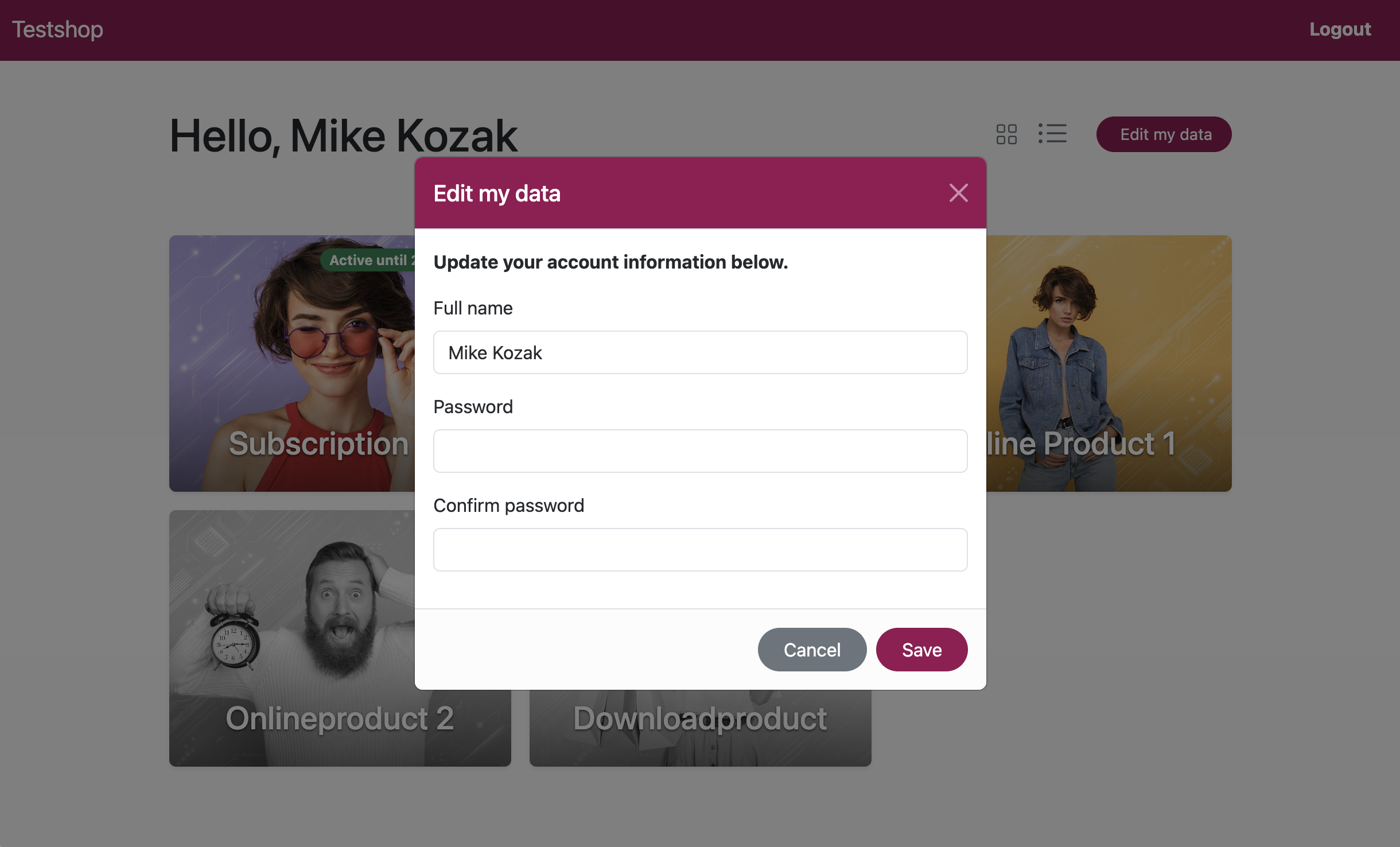
Switch views (grid / table / grid-all) via querystring:
/account/?view=grid-all(all products, not yet purchased products greyéd out, default used by the template)/account/?view=grid(without not yet purchased products)/account/?view=table
You can also render the header buttons anywhere:
$modules->get('StripePlCustomerPortal')->renderHeaderButtons('grid-all');All UI elements use regular Bootstrap classes and can be styled using your preferred method.
Table view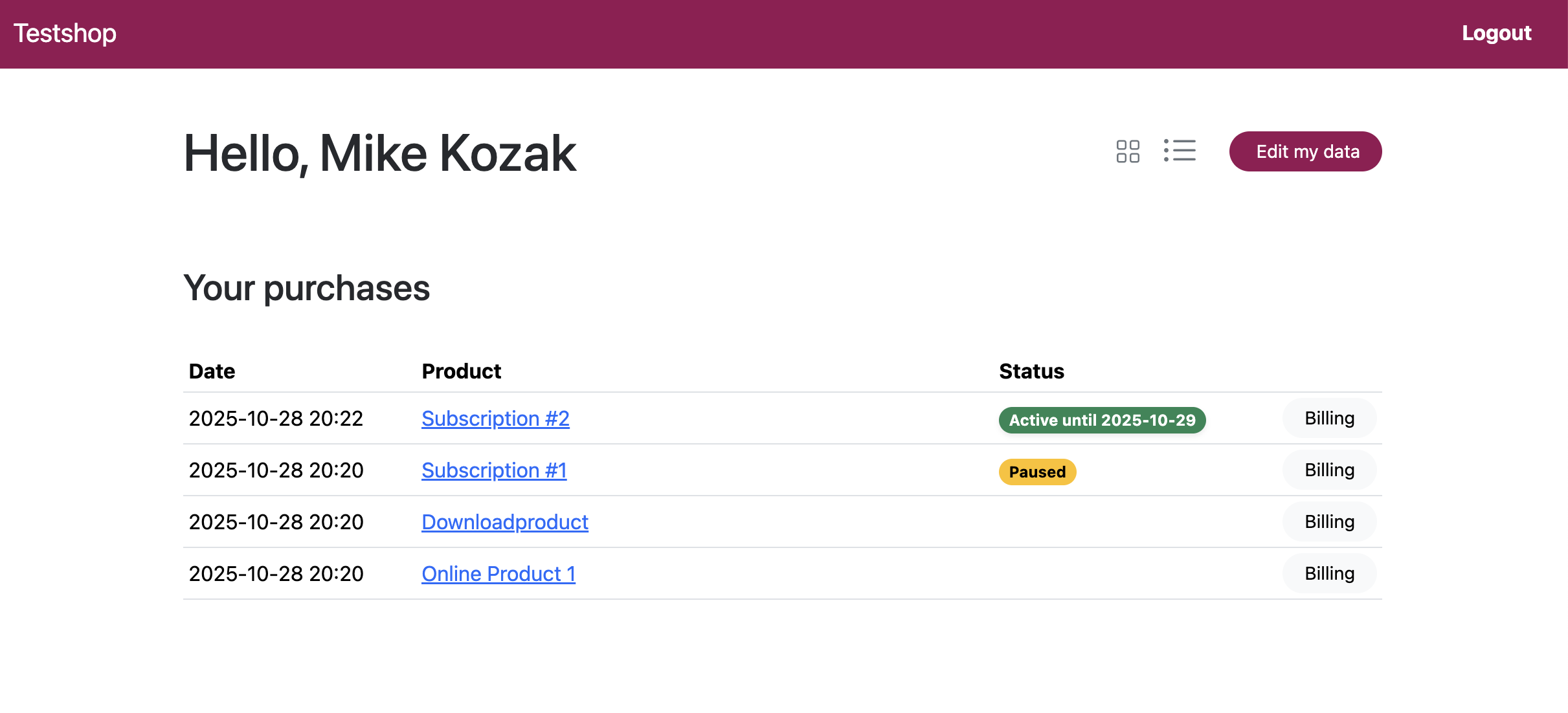
Freebies in the account
When StripePaymentLinks’ Freebies feature is configured, this module lists the
member’s freebies in the /account/ grid automatically — no template change. It
attaches the core freebie service to its accountAppendCards extension point and renders
freebie cards with the same look as purchased products (renderCard).
- Freebie cards appear in the grid views (
grid/grid-all) only, not in the table view. - Registration, gating and the access mail are handled by the core module; this module only adds the account listing.
- Only freebies the member can actually open are listed: the hub passes
onlyGrantedto the core'srenderFreebieCards(), so users without access never see locked cards. Members (and, when the core's Grant customers freebie access option is on, customers) have access to all freebies; anyone else sees none here.
Template API
Methods to call from your ProcessWire templates via
$modules->get('StripePlCustomerPortal')->….
renderAccount(string $view = 'grid', string $appendCards = ''): string— the full account area (used by the module's/account/template).$viewis one ofgrid,grid-allortable.renderLoginLink(array $opts = []): string— a state-aware link showing Sign in / My account / Sign out depending on the user; put it in your nav. Options:class,label.renderEditButton(array $opts = []): string— an "Edit my data" button that opens the profile modal.
Building blocks (only if you render the account area yourself instead of using
renderAccount()): renderPurchasesGridAll(User), renderPurchasesGrid(User),
renderUnownedProducts(User), renderCard(...), cardCss(), renderTagFilter(),
renderHeaderButtons(), modalProfileEdit(), getPurchasesData(User).
Stripe Billing Portal
In the table view of /account/, each purchase shows a button that opens
the Stripe Billing Portal for that purchase, using the stored customer_id
from the purchase’s stripe_session meta.
- No
stripe_customer_iduser field required - Works even when purchases were made via external Stripe Payment Links
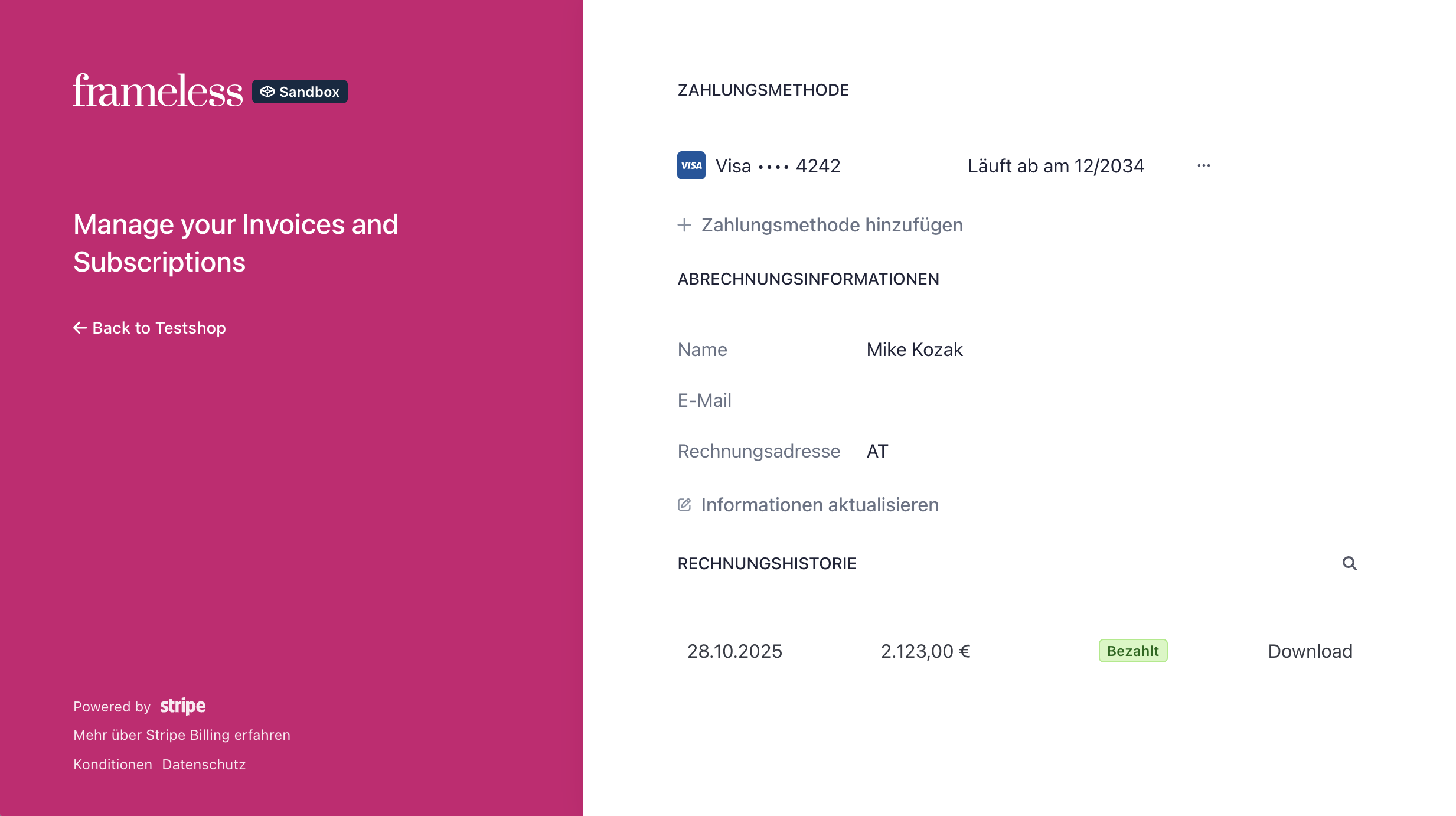
- Users can view/download invoices and manage payment methods/subscriptions
Make sure the Stripe Billing Portal is enabled in your Stripe Dashboard
(Settings → Billing → Customer Portal), otherwise the portal links will not work.
Example view (Stripe Billing Portal):
Product data used by the grid (important)
The grid is built from the user’s SPL purchases and your product pages. For each product:
- Title: page title
- URL: the whole grid item (card) is linked to the page URL
- Status badge: only visible if product is a subscription, derived from SPL’s period/paused/canceled metadata
- Thumbnail: first image of any
imagesfield
→ If you want images in the cards, add an Images field to your product templates.
→ If an image field is missing or empty, the card renders without an image.
Internationalization (i18n)
All UI texts live in the module’s i18n() and are picked up by ProcessWire’s Language tools.
The module also overrides SPL’s t() only when the intended URL points to /account/, so you can present custom login modal texts for the portal flow.
Uninstall
- Removes
/account/page andspl_accounttemplate. - Leaves
/site/templates/spl_account.phpin place (in case you customized it).
License
MIT.
More modules by Mikel
ProcessDataTables
Displays customizable backend tables for any ProcessWire template with flexible column selection, per-field output templates, and global formatting options.35Textformatter Smart Quotes
Replaces straight quotes "..." with typographic quotes („...“, “...”, or «...»), in visible text only.30Stripe Payment Links Admin
View customer, purchases & products with configurable metadata columns & filters. Export reports to CSV.21StripePaymentLinks Customer Portal
Adds a ready-to-use /account/ page with login flow, product grid, purchase history table, and direct access to the Stripe Customer Billing Portal19