Image Classes
Adds a CSS class selector for images in TinyMCE and CKEditor (admin + frontend editor).
A ProcessWire module that adds a configurable CSS class selector for images inside TinyMCE and CKEditor fields — in both the admin and the frontend editor.
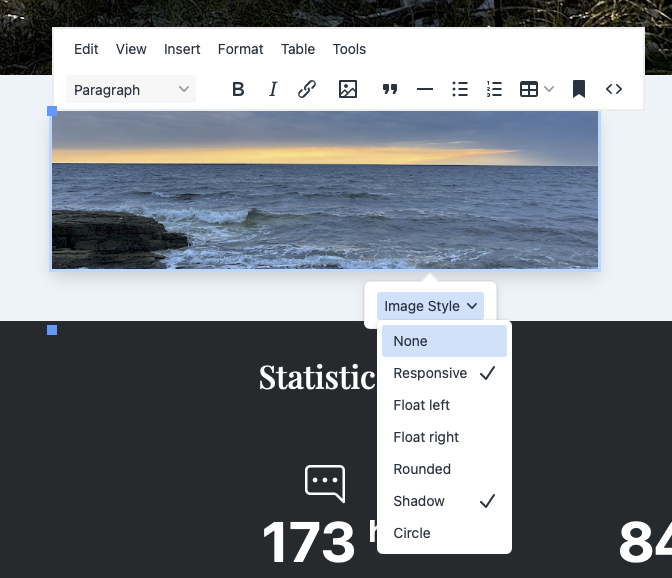
When a user clicks an image inside a rich-text field a floating toolbar appears (TinyMCE) or the browser context menu is extended (CKEditor) with an Image Style picker. Classes are written directly into the <img> element in the saved HTML — no post-processing, no render-time magic. Multiple classes can be active at the same time.
Features
- Works in the admin and in the frontend (inline) editor
- Supports TinyMCE 6 (ProcessWire's default) and CKEditor 4
- Multi-select — assign more than one class to an image at once
- Active-state indicator — a checkmark shows which classes are currently applied
- Toggle — selecting an active class removes it again
- "None" entry strips all managed classes while leaving any unrelated classes intact
- Fully configurable class list through the module settings page
- No field assignment required — install and it works everywhere
Requirements
| ProcessWire | 3.0.0 or newer |
| PHP | 8.0 or newer |
| TinyMCE | 6.x (bundled with InputfieldTinyMCE) |
| CKEditor | 4.x (bundled with InputfieldCKEditor) |
Installation
- Copy the
ProcessImageClassesfolder into/site/modules/. - In the ProcessWire admin go to Modules → Refresh.
- Find Image Classes and click Install.
That's it. The module is autoloaded and requires no further field configuration.
Configuration
Go to Modules → Configure → Image Classes.
Enter one class per line using the format:
Label=css-classExamples
None=
Responsive=img-fluid
Float left=float-start
Float right=float-end
Rounded=rounded
Shadow=shadow- The label is what appears in the editor menu.
- Leave the value empty (e.g.
None=) to provide a "remove all classes" option. - The order of entries determines the order in the menu.
Usage
TinyMCE
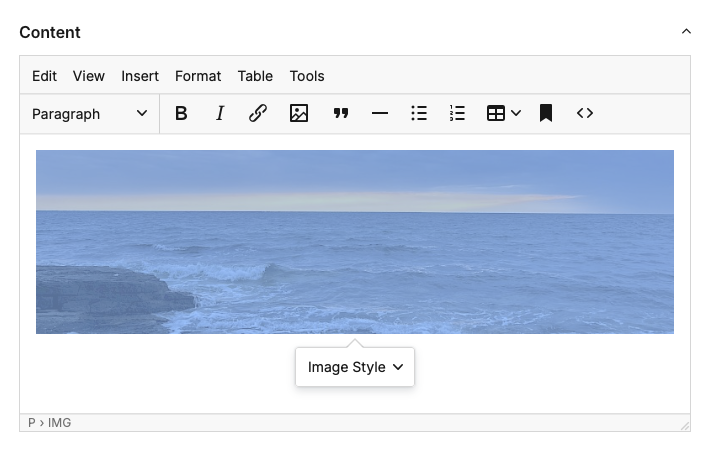
Click any image inside a rich-text field. A floating context toolbar appears above the image with an Image Style dropdown. Each entry shows a checkmark when that class is active. Selecting it again removes the class.
CKEditor
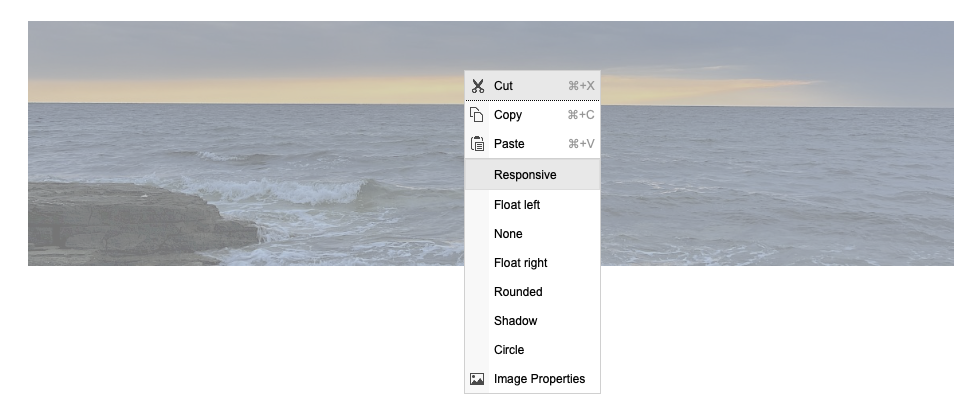
Right-click any image. The browser context menu contains the configured class entries at the top. Active classes are marked. Clicking an entry toggles it.
How it works
The module hooks into ProcessWire's ready() lifecycle:
- Admin pages — assets are queued via
$config->scriptsand$config->js(). The AdminTheme outputs them as normal<script>tags in the page, never inside AJAX field fragments (which would break jQuery'sglobalEval). - Frontend pages — a
Page::renderhook injects the config object and a<script src>tag on the fully rendered HTML, so the script is present before any TinyMCE instance initialises lazily on hover.
The JavaScript uses InputfieldTinyMCE.onSetup() to register the UI for every editor instance: normal, inline, lazy-loaded, and frontend. A setInterval poll catches editors that initialise after the script itself loads.
License
Licensed under the MIT License.
Credits
Developed by frameless.at.
More modules by Mikel
ProcessDataTables
Displays customizable backend tables for any ProcessWire template with flexible column selection, per-field output templates, and global formatting options.35Textformatter Smart Quotes
Replaces straight quotes "..." with typographic quotes („...“, “...”, or «...»), in visible text only.30Stripe Payment Links Admin
View customer, purchases & products with configurable metadata columns & filters. Export reports to CSV.21StripePaymentLinks Customer Portal
Adds a ready-to-use /account/ page with login flow, product grid, purchase history table, and direct access to the Stripe Customer Billing Portal19