DB Backup
Database backup and restore with local and Backblaze B2 storage, backup types (regular/weekly/monthly), chunked upload, streaming restore.
Database backup and restore module for ProcessWire 3.x.
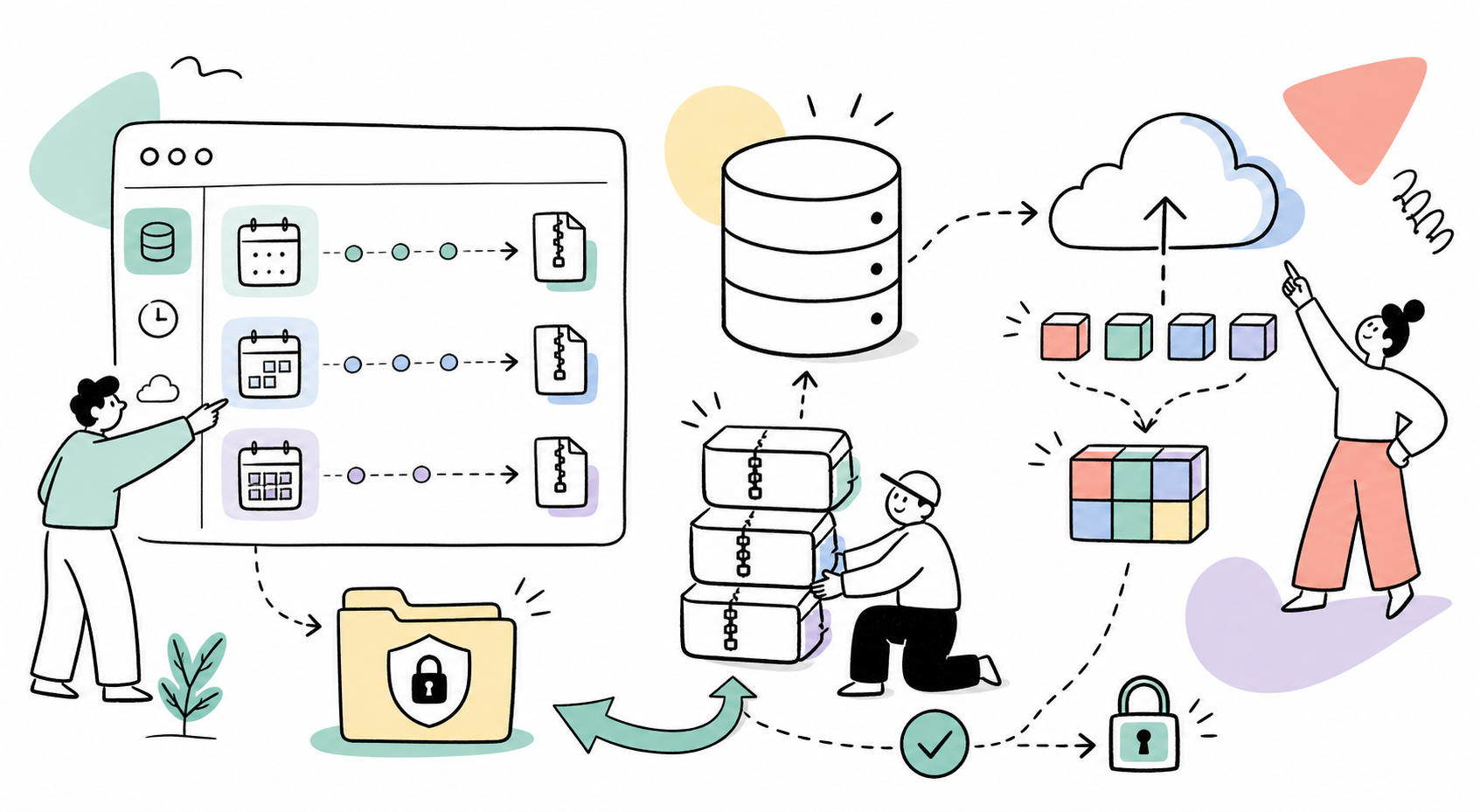
Supports local storage and Backblaze B2, three independent backup schedules (regular / weekly / monthly), chunked upload for large files, streaming restore, and a dashboard widget on the admin home page.
Author: Maxim Semenov
Website: smnv.org
Email: maxim@smnv.org
If this project helps your work, consider supporting future development: GitHub Sponsors or smnv.org/sponsor.
Features
- One-click backup from the Admin UI with AJAX progress bar
- Three backup types — regular, weekly, monthly — each with independent LazyCron schedule and retention count
- Admin home widget — shows status, latest backup date and storage for each type, with "Create now" button per type
- Backblaze B2 optional cloud upload (API v3) for all backup types
- Configurable local copy — keep or delete local file after B2 upload
- Chunked upload — upload
.sql.gzfrom your computer in 2MB chunks, bypassesupload_max_filesize - Streaming restore — PDO restore reads line-by-line, memory usage stays flat regardless of dump size
- Lock file — prevents concurrent backup processes
- Verify integrity — gzip check + SQL structure validation before any restore
- Partial restore — select individual tables to restore from a backup
- Pre-restore auto-backup — creates a safety backup of the current DB before any restore
- Exclude tables — skip specific tables (e.g. cache, sessions) from all backups
- Database table sizes — dashboard section showing largest tables, row estimates, data/index size, and backup inclusion status
- Inline labels — add notes to any backup entry directly in the table
- Sort and filter — sort by filename/date/size, filter by backup type
- Protected storage —
site/assets/backups/db/with.htaccessdeny-all - Meta-driven list — B2-only backups appear in the UI even without a local file
- Module log at
Setup → Logs → db-backup
Requirements
- ProcessWire ≥ 3.0.0
- PHP ≥ 8.0
- PHP extensions:
zlib,PDO,curl(curl required for B2 only) mysqldump/mysqlCLI — optional but recommended for large databases- LazyCron module — required for scheduled backups
Installation
- Copy the
ProcessDbBackup/folder tosite/modules/ - In Admin → Modules, click Refresh and install ProcessDbBackup
- The admin page is created automatically at Admin → DB Backup
- Assign the
db-backuppermission to roles that need access
Configuration
Go to Admin → Modules → Configure → ProcessDbBackup.
General
| Setting | Description |
|---|---|
| Max backups (retention) | Auto-delete oldest regular backups beyond this count. 0 = unlimited |
| Auto-backup before restore | Creates a safety backup before any restore operation |
| Exclude tables | One table name per line — skipped in all backups |
Schedules
Three independent fieldsets: Regular, Weekly, Monthly.
| Setting | Description |
|---|---|
| Schedule | LazyCron interval for this backup type |
| Keep (N backups) | Retention count for this type independently |
Regular — for frequent backups (hourly, daily). Outdated status triggers after 2 days without a backup.
Weekly — for weekly snapshots. Outdated status triggers after 7 days.
Monthly — for long-term archival. Outdated status triggers after 28 days.
Available LazyCron intervals
every30Seconds · everyMinute · every2Minutes · every3Minutes · every4Minutes · every5Minutes · every10Minutes · every15Minutes · every30Minutes · every45Minutes · everyHour · every2Hours · every4Hours · every6Hours · every12Hours · everyDay · every2Days · every4Days · everyWeek · every2Weeks · every4Weeks
LazyCron fires on the next page load after the interval has elapsed.
Backblaze B2
| Setting | Description |
|---|---|
| Enable B2 upload | Upload every backup (all types) to B2 after creation |
| Keep local copy | Checked: keep local file and upload to B2. Unchecked: delete local after successful B2 upload |
| Application Key ID | From your B2 App Keys |
| Application Key | Secret portion (shown once at creation) |
| Bucket ID | Found on the B2 bucket overview page |
| Path prefix | Optional subfolder, e.g. mysite/db-backups |
The module uses B2 API v3. Required App Key capabilities: readFiles, writeFiles, listFiles, deleteFiles.
Admin home widget
The widget appears at the top of Admin → Dashboard and shows a table with one row per backup type:
| Column | Content |
|---|---|
| Type | Regular / Weekly / Monthly |
| Status | OK · Outdated · No backups |
| Latest backup | Date and storage badge (Local / B2 only / Local+B2) |
| Count | Number of backups of this type |
| Schedule | Configured LazyCron interval |
| Action | Create now button — creates a backup of that type immediately |
Status thresholds: Regular → 2 days · Weekly → 7 days · Monthly → 28 days.
Only visible to users with the db-backup permission.
Backup types and file naming
| Type | Filename prefix | Default retention |
|---|---|---|
| Regular | db-YYYY-MM-DD_HHiiss.sql.gz | 10 |
| Weekly | db-weekly-YYYY-MM-DD_HHiiss.sql.gz | 4 |
| Monthly | db-monthly-YYYY-MM-DD_HHiiss.sql.gz | 3 |
| Uploaded | db-uploaded-YYYY-MM-DD_HHiiss.sql.gz | — |
Retention is enforced per type independently after each backup creation.
Storage modes
| Mode | Local file | B2 | Download / Restore |
|---|---|---|---|
| Local only | ✅ | — | Available |
| Local + B2 | ✅ | ✅ | Available |
| B2 only | — | ✅ | Disabled (tooltip shown) |
The backup list is driven by .meta.json. B2-only entries are visible in the UI with a B2 only badge.
File locations
site/assets/backups/db/              — backup directory (htaccess protected)
site/assets/backups/db/.meta.json    — metadata for all backups
site/assets/backups/db/.lock         — cron lock file (auto-removed)
site/assets/backups/db/.chunks/      — temporary chunk storage during upload
Backup methods
- mysqldump (preferred) —
--single-transaction --quickfor InnoDB-safe hot backups, output piped throughgzip - PHP PDO (fallback) — exports tables row-by-row in 100-row INSERT batches, written directly to
.gzviagzopen
Restore
Restore overwrites the database. A confirmation dialog is shown before proceeding.
Full restore methods (tried in order):
mysqlCLI — pipes decompressed dump intomysql- PHP PDO streaming — reads
.gzline-by-line, executes statements one at a time
Partial restore — select individual tables from the backup. Shows each table with a status badge (exists / new) and a "select all" checkbox.
Restore is only available for backups with a local copy. B2-only backups must be downloaded manually first.
Chunked upload
The upload form on the DB Backup page sends the file in 2MB chunks via JavaScript Fetch API. Each chunk is saved to .chunks/ on the server and assembled into the final file once all chunks arrive. This bypasses PHP's upload_max_filesize and post_max_size limits entirely — any file size works.
After assembly, the file is validated (gzip magic bytes) and added to the backup list. The Restore immediately checkbox triggers a full restore right after upload.
Lock file
When a backup starts, a .lock file is written with the current timestamp. If a subsequent process finds the lock file and it is less than 1 hour old, the backup is skipped. Locks older than 1 hour are considered stale and removed automatically. The lock is always removed on success or cron error.
Changelog
See CHANGELOG.md.
More modules by Maxim Semenov
Ichiban (SEO control center)
Comprehensive SEO module: meta/OG/schema, audit, redirects, revisions, email reports.10Ally (a11y)
Self-hosted accessibility widget powered by Sienna (MIT). Adds font, contrast, language, and navigation tools to any page. No external CDN — the JS bundle is served from your own server.7Invite Access
Restricts site access to visitors with a valid invite code. Designed for staging environments with multiple teams.6