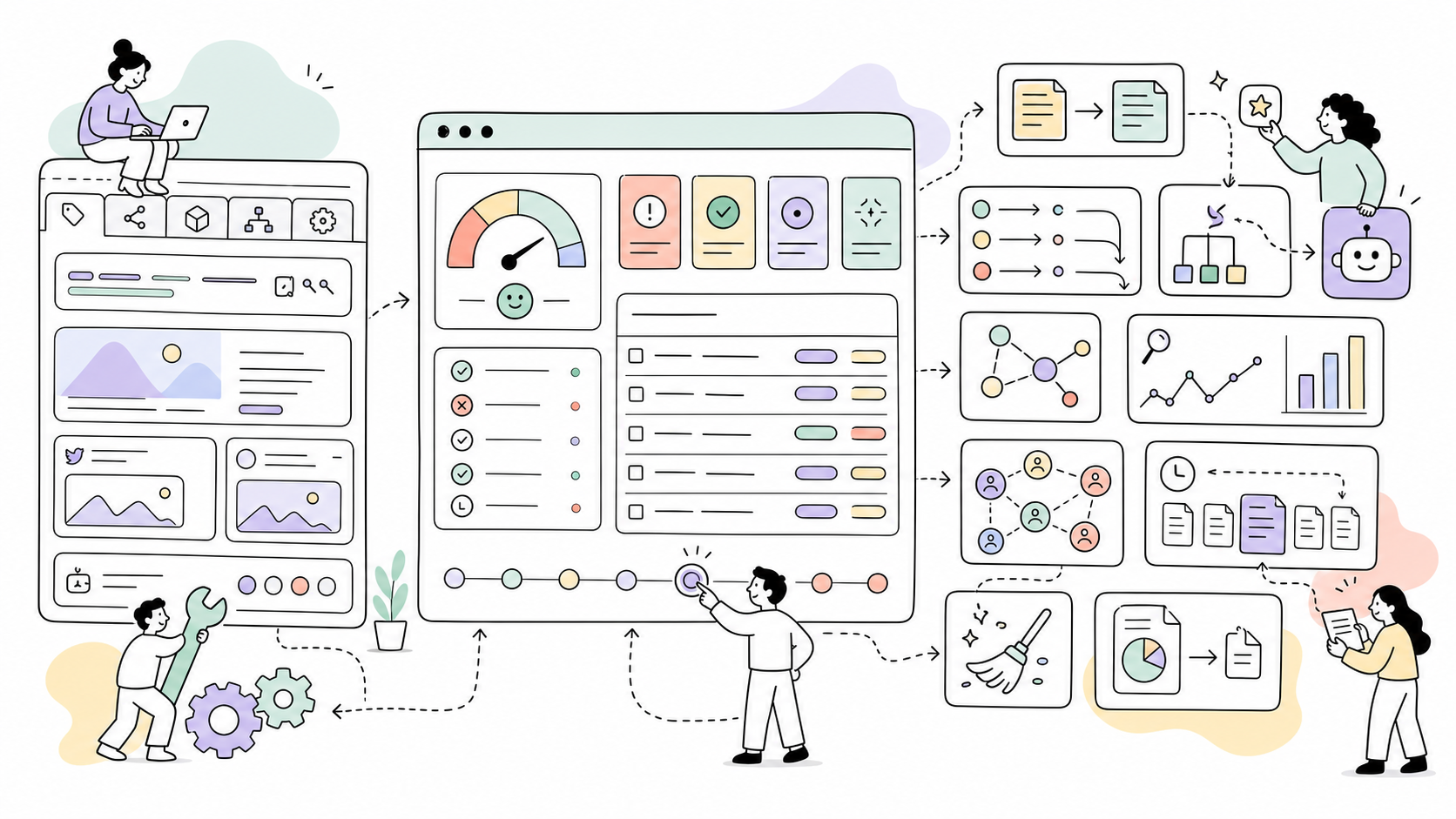
SEO control center for ProcessWire CMS.
Ichiban adds a page SEO field, live previews, structured data, audits, redirects, revisions, Google Search Console reporting, URL Inspection checks, Moz backlink snapshots, migration tools, AI-assisted SEO tests, and cleanup helpers to the ProcessWire admin.
Status:
0.1.0-alpha. The module is usable on real sites, but it is still alpha software. Use it first on staging or with database backups.
Author
Ichiban is built and maintained by Maxim Semenov.
- Website: smnv.org
- Email: maxim@smnv.org
Requirements
- ProcessWire >= 3.0.200
- PHP >= 8.1
- MySQL 5.7 / MariaDB 10.3+
Installation
- Copy the
Ichiban/folder tosite/modules/. - In ProcessWire admin, run Modules > Refresh.
- Install Ichiban. It installs the autoload module, process module, fieldtype, and inputfield.
- Create an Ichiban field, usually named
seo. - Add the field to editable templates.
- Render SEO tags in your template:
echo $page->seo;Page Field
The Ichiban field stores page-level SEO data and renders an editor with five tabs:
- Meta — Google-style search preview, meta title, meta description, canonical URL, noindex, nofollow.
- Social — Open Graph, Twitter/X card fields, social preview cards, OG image support.
- Schema — schema type selection and generated output preview.
- Sitemap — include flag, priority, change frequency.
- Advanced — custom robots meta value and raw JSON-LD override.
The Google preview uses the resolved title, URL, and description. It is an approximation of how a result can appear in Google, not a guarantee of the exact snippet Google will show.
Source Expressions
Title and description fields can be entered as custom text or resolved from ProcessWire fields.
Supported examples:
title
title|truncate:70
summary|truncate:160
field:title
field:summary|truncate:160
{headline}
{splash}For image fields, field:splash and {splash} resolve the first image. For Open Graph images, Ichiban creates a 1200x630 image variation when possible.
Rendering
// Render all tags for the current page.
echo $page->seo;
// Access resolved values.
$page->seo->meta->title;
$page->seo->meta->description;
$page->seo->meta->canonical;
$page->seo->og->image;
$page->seo->schema->type;Adding the field to a template does not render tags by itself. Output the field with echo $page->seo;. If you prefer automatic output, enable Automatically inject SEO tags into page <head> in the module settings.
Do not use automatic injection together with theme-level SEO tags. If your templates already output <title>, meta description, canonical, Open Graph, Twitter/X, or JSON-LD tags, either remove those theme tags or keep Ichiban in manual rendering mode with echo $page->seo;. Running both can create duplicate tags, and search engines may read the theme tags first.
Ichiban outputs meta tags, canonical URL, Open Graph, Twitter/X, robots directives, verification tags, hreflang links, optional Meta Pixel, and JSON-LD schema.
For templates with URL segments enabled, canonical, og:url, twitter:url, and hreflang URLs preserve the current segment string by default. This can be changed in module settings.
Admin Sections
Admin > SEO (Ichiban) includes:
- Dashboard — battery-style site score, quick stats, Search Console highlights, indexing issues, schema counts, recent redirects, revision and cleanup activity.
- Bulk Editor — inline title/description editing grouped by score severity: Critical, Warnings, Healthy.
- Audit — battery-style audit score, issue counts, priority cards, affected page links, rule table, CSV export.
- Redirects — manual redirects, regex redirects, status codes, hit counts, CSV import/export.
- Insights — Google Search Console onboarding, OAuth connection, date-range metrics, daily trend chart, top pages, top queries, countries, devices, search appearance, and Page Indexing scan.
- Backlinks — Moz Links API connection, saved backlink snapshots, cached history, usage quota snapshots, and links/domains/anchors views.
- Reports — email report workspace for weekly and monthly SEO summaries.
- Schemas — database-backed Schema.org builder with type selection, custom types, property rows, and ProcessWire field/source expressions.
- Revisions — tracked SEO field changes with old/new values and page/user context.
- Cleanup — logged blocked search queries and crawl cleanup status.
- Migration — SeoMaestro to Ichiban converter.
- AI — OpenRouter-backed test workspace for SEO prompts using optional Context export files.
- Settings — identity, defaults, webmaster verification, Search Console, Backlinks/Moz API, publishing, sitemap, robots/llms, reports, cleanup, and AI/OpenRouter. Fieldsets with saved values collapse; empty/unconfigured fieldsets open by default.
Breadcrumbs inside the admin are scoped to SEO (Ichiban), for example SEO (Ichiban) / Insights.
Admin Section Details
Dashboard
The Dashboard is the overview screen for the SEO module. It shows the current audit score, quick health stats, Search Console highlights when connected, indexing issues, schema mapping count, recent redirects, revision activity, and cleanup activity. It is meant to answer "what needs attention now?" without opening the deeper tools first.
Bulk Editor
Bulk Editor lets you edit meta titles and meta descriptions for indexed pages in one table. Pages are grouped by health score so missing or weak metadata can be handled first. Saving rows writes page-level custom SEO values and rebuilds the audit index immediately.
Audit
Audit shows the site-wide SEO rule report from ichiban_index. It includes the audit score, issue totals, priority cards, affected page links, and a full rule table with severity, description, issue counts, and affected page counts. The report can be rebuilt and exported as CSV.
Redirects
Redirects manages manual and automatic redirects. It supports 301, 302, 307, 410, and 451 responses, regex rules, hit counts, source labels, notes, CSV import, and CSV export. Ichiban can also create redirects automatically when page paths change.
Insights
Insights is the Google Search Console workspace. It handles OAuth onboarding, cached Search Analytics metrics, date-range reporting, top pages, top queries, countries, devices, search appearance, and URL Inspection sampling for indexing issues.
Backlinks
Backlinks is the Moz Links API workspace. It connects with the current Moz API token (x-moz-token) and can fall back to legacy Access ID / Secret Key credentials. The section stores every refresh as a database snapshot so page reloads show cached data without spending Moz quota. Saved views include links, linking domains, and anchor text.
The screen also stores Moz quota snapshots through the quota lookup endpoint. Quota checks are manual, not automatic on every page load.
Sitemap
Sitemap shows the status of Ichiban's built-in XML sitemap generator. It reports generated files, URL counts, last generation time, regeneration status, configured sitemap directory, and public sitemap URL. It also provides manual generation, file cleanup, and directory creation actions.
Schemas
Schemas is the database-backed Schema.org mapping builder. It lets you create named schema mappings, choose built-in or custom schema types, assign templates, and map schema properties to ProcessWire fields or source expressions.
Revisions
Revisions tracks changes to Ichiban SEO field values. It records page, user, timestamp, changed fields, old values, and new values, and can restore previous SEO values when needed. Retention is controlled in settings.
Cleanup
Cleanup monitors low-value crawl and search surfaces. It shows blocked search query logs, matched cleanup patterns, unique IPs, current action, and cleanup status. Settings can remove frontend tags such as RSD, WLW manifest, shortlink, prev/next, and generator.
Migration
Migration helps move existing SeoMaestro fields to Ichiban. It finds SeoMaestro fields, shows row counts and template usage, creates backup tables, converts stored JSON values, switches the field type, and rebuilds the audit index after conversion.
Reports
Reports is the scheduled SEO reporting workspace. It stores the latest report snapshot, can generate reports manually, can send test emails through the selected WireMail provider, and can export the latest report as a DOCX file.
AI
AI is an early OpenRouter-backed test workspace for SEO prompts. It can attach Context module exports to requests, run predefined audit/metadata/schema/report prompts, and show model, duration, finish reason, output token count, attached context files, and diagnostic messages for empty provider responses.
Bulk Editor
The Bulk Editor reads from the audit index and saves page-level custom SEO values. Rows are grouped by score:
- Critical — score below 60.
- Warnings — score from 60 to 79.
- Healthy — score 80 and above.
After saving, Ichiban rebuilds the audit index so the table reflects the saved values immediately.
Audit
The audit index stores resolved SEO data in ichiban_index for fast reports.
Current checks include:
- meta title present
- meta title length
- meta title uniqueness
- meta description present
- meta description length
- meta description uniqueness
- Open Graph image present
- canonical URL validity
- noindex on public pages
- underscores in URLs
- schema type present
The Audit page shows overview cards, priority issues, links to affected pages, a rule table, and CSV export.
Scores use battery indicators:
- green:
75-100 - orange:
50-74 - red:
0-49
Redirects
Redirect Manager supports:
301,302,307,410,451- manual redirects
- regex redirects
- automatic redirects after slug changes
- hit counting
- source labels
- note field
- CSV export
- CSV import
CSV import format:
from_url,to_url,type,is_regex,note /old-path,/new-path,301,0,Example note
SeoMaestro Migration
Ichiban includes a Migration section for sites that already use SeoMaestro.
The migration screen:
- finds fields with
FieldtypeSeoMaestro - shows row counts and templates using each field
- creates a full backup table before conversion
- converts SeoMaestro's flat JSON data to Ichiban's data format
- switches the field type to
FieldtypeIchiban - rebuilds the audit index after conversion
Mapped fields include:
meta_title->meta_titlemeta_description->meta_descriptionmeta_canonicalUrl->canonical_urlopengraph_title->og_titleopengraph_description->og_descriptionopengraph_image->og_imageopengraph_imageAlt->og_image_altopengraph_type->og_typetwitter_card->twitter_cardtwitter_creator->twitter_creatorrobots_noIndex->meta_noindexrobots_noFollow->meta_nofollowsitemap_include->sitemap_includesitemap_priority->sitemap_prioritysitemap_changeFrequency->sitemap_changefreq
SeoMaestro-style field tokens such as {title} and {splash} are preserved and resolved by Ichiban.
If RockMigrations defines the same field, update the migration definition to FieldtypeIchiban after conversion so the next migration cycle does not switch it back.
Google Search Console
To connect Search Console:
- Open Google Cloud Console.
- Enable the Google Search Console API.
- Create an OAuth 2.0 Web application client.
- Add the redirect URI shown in Ichiban > Insights or Ichiban > Settings > Google Search Console.
- In Google Auth Platform > Audience, move the publishing status to In production. Testing mode can block sign-in with
403 access_deniedfor users who are not test users. - Paste the Client ID and Client Secret into Ichiban settings.
- Enter the Search Console domain if it differs from the site root, for example
example.com. Ichiban queries bare domains as Domain properties (sc-domain:example.com). Usehttps://example.com/only for URL-prefix properties. - Open Insights and click Connect GSC.
Insights data is cached in ichiban_gsc_cache for 6 hours. Cached datasets include dashboard metrics, top pages, top queries, daily trend, countries, devices, and search appearance.
The Insights screen includes date ranges for 7, 28, 90, 180, and 365 days. Daily trend charts show every day for 7 days and weekly labels for longer ranges. Top Pages URLs are clickable.
Page Indexing Scan
Google does not expose the full aggregate Page indexing report through the Search Analytics API. Ichiban therefore provides a practical URL Inspection scan:
- Click Scan indexing issues in Insights.
- Ichiban checks a small URL sample with the Google URL Inspection API.
- Results are cached in
ichiban_gsc_indexing_cache. - The block shows checked URLs, indexed URLs, issue count, last scan time, grouped coverage reasons, and example URLs.
If the scan cannot run, Ichiban shows the Google/API error in the admin notice area. Common causes are missing OAuth tokens, expired security token, missing Search Console access, URL Inspection API quota, or the URL Inspection API not being enabled for the Google Cloud project.
Disconnecting GSC clears both ichiban_gsc_cache and ichiban_gsc_indexing_cache.
Official references:
Moz Backlinks
To connect Moz:
- Create or open a Moz API account.
- During signup, Moz may ask for a debit or credit card even on the free plan. Moz presents this as part of its security and abuse-prevention flow.
- Create an API token in the Moz API dashboard.
- Paste the token into Ichiban > Settings > Backlinks / Moz API.
- Keep Rows per request at the default
5while testing on the free plan. - Open Backlinks and click Refresh from Moz only when you want to spend Moz API quota and save a new snapshot.
If token authentication is not available for an account, use Show Legacy Credentials in the Moz API dashboard and paste the Access ID and Secret Key into the legacy fields.
Backlink data is saved in:
ichiban_backlink_snapshotsichiban_backlink_rowsichiban_backlink_quota
The Backlinks screen renders the latest saved snapshot by default. It does not call Moz on ordinary page reloads. Use Refresh quota to manually save current Moz quota usage inside Ichiban.
Module distributors can set ProcessIchiban::MOZ_AFFILIATE_URL in code to route Moz signup/pricing links through an affiliate URL. This is intentionally not exposed as a webmaster-facing setting.
Schemas
The Schemas section stores additional Schema.org nodes in the ichiban_schemas database table and lets you map schema properties to ProcessWire fields or source expressions.
Each mapping has:
- Name — internal label.
- Schema type — choose from the built-in Schema.org type list or enter a custom type.
- Templates — comma-separated ProcessWire template names.
- Property rows — schema property to source expression.
Example:
{
"name": "field:title",
"description": "field:summary|truncate:160",
"image": "field:images"
}When a page uses a matching template, Ichiban adds a JSON-LD node to the page graph. Page-level raw JSON-LD override still takes precedence over generated schema output.
Webmaster Verification and Pixels
Settings include meta verification fields for services that still support HTML meta verification:
- Bing Webmaster Tools (
msvalidate.01) - Yandex Webmaster (
yandex-verification) - Baidu Webmaster Tools (
baidu-site-verification) - Sogou Webmaster (
sogou_site_verification) - 360 Search / Haosou (
360-site-verification) - Pinterest Domain Verify (
p:domain_verify) - Meta/Facebook Domain Verification (
facebook-domain-verification) - Additional custom verification meta tags as
meta-name=token
Google Search Console verification is intentionally not included in this fieldset because current Google Search Console setup should use DNS TXT or CNAME verification for domain properties.
Meta/Facebook Pixel can be added with a numeric Pixel ID. Ichiban renders the standard PageView pixel on the home page when the ID is configured.
Sitemap
Ichiban includes its own XML sitemap generator.
When enabled, Ichiban serves the public sitemap index from the configured sitemap directory, usually /sitemaps/sitemap.xml. It can generate template-specific sitemap files, split large URL sets into chunks, include image sitemap entries, add multilingual hreflang alternates, respect page-level sitemap settings, respect noindex, include custom URLs, and exclude URLs by template or pattern.
The Sitemap admin section shows generated files, total URLs, total size, directory status, LazyCron status, and the public index URL. From there you can generate sitemap files manually, create the sitemap directory, or delete generated sitemap files.
If auto-regeneration is enabled, Ichiban marks the sitemap as needing regeneration when pages are saved, trashed, or deleted, and uses ProcessWire LazyCron to regenerate it on the configured interval. If LazyCron is not installed, Ichiban shows a warning and manual generation remains available.
Ichiban also uses the configured sitemap URL when it appends a Sitemap: line to generated robots.txt.
robots.txt and llms.txt
Ichiban can serve a simple dynamic robots.txt and optional llms.txt.
For a full physical robots.txt editor with presets, parsed rules, file status, and a view action, use the companion RobotsTxt module.
Avoid managing robots.txt in both Ichiban and RobotsTxt at the same time.
IndexNow
IndexNow does not require an account. The key is a verification string.
- Click Generate IndexNow key in Ichiban > Settings, or create your own 8-128 character key using letters, numbers, and hyphens.
- Save settings. Ichiban tries to write
/{key}.txtto the site root with the key as the file content. - Open
https://example.com/{key}.txtand confirm it shows only the key. - Keep the same key in the Index Now API Key field.
Official references:
Cleanup
Ichiban includes two cleanup layers:
- Crawl cleanup can remove low-value frontend tags such as RSD, WLW manifest, shortlink, prev/next, and generator.
- Search cleanup can block spam search queries, return HTTP 400 or redirect, and log matched queries for review.
The Cleanup admin page shows whether query blocking is enabled, recent blocks, unique IPs, custom pattern count, current action, and logged data.
Reports
Ichiban includes a Reports section for scheduled SEO email reports. The section is currently marked as in development while the report shape is finalized.
LazyCron generates the latest report as JSON and stores it in the module config. The Reports screen shows that JSON snapshot, can generate it manually, can send a test email through the selected WireMail provider, and can export the latest report as a DOCX file for printing or client handoff.
Planned weekly and monthly reports can include:
- audit score and critical issues
- pages missing titles, descriptions, Open Graph images, or indexability settings
- Google Search Console summary when connected
- top pages, top queries, countries, devices, and search appearance
- Page Indexing sample scan issues
- recent redirects, cleanup blocks, and SEO revisions
Configure recipients, frequency, sender identity, and mail provider in Reports > Report settings.
AI
The AI section is an early test workspace for SEO prompts. It can use Ichiban's own OpenRouter settings and, when the Context module is installed, attach exported Context files to give the model site structure, templates, fields, modules, and sample page data.
Configure AI under Ichiban > Settings > AI / OpenRouter:
- Default model uses OpenRouter's
provider/modelformat. - Max tokens is sent as the OpenRouter
max_tokensvalue for generated output. - Temperature is sent as the OpenRouter
temperaturevalue. - Timeout controls the HTTP request timeout.
- Site URL and Site / app name are sent as OpenRouter attribution headers.
The AI test page shows the model, request duration, finish reason, output token count when available, and the Context files attached to the request. If OpenRouter returns HTTP 200 with an empty message body, Ichiban displays a diagnostic message instead of a blank result.
Hooks
// Resolve custom source expressions.
wire()->addHookAfter('Ichiban::resolveSourceValue', function(HookEvent $e) {
$page = $e->arguments(0);
$expression = $e->arguments(3);
});
// Add or modify audit rules.
wire()->addHookAfter('Ichiban::auditRules', function(HookEvent $e) {
$rules = $e->return;
$rules[] = ['CustomRule', 'word_count > 100', 'info', 5];
$e->return = $rules;
});
// Modify meta tags output.
wire()->addHookAfter('Ichiban::renderMetaTags', function(HookEvent $e) {
$e->return .= '<meta name="custom" content="value">';
});
// Modify JSON-LD output.
wire()->addHookAfter('Ichiban::renderSchemaGraph', function(HookEvent $e) {
// Modify $e->return.
});
// Alter redirect matches.
wire()->addHookAfter('Ichiban::redirectMatch', function(HookEvent $e) {
$redirect = $e->return;
});
// Alter identity schema node.
wire()->addHookAfter('Ichiban::buildIdentity', function(HookEvent $e) {
$identity = $e->return;
$identity['name'] = 'Example';
$e->return = $identity;
});Alpha Notes
- Always back up the database before running Migration.
- Prefer manual rendering with
echo $page->seo;for the first alpha installs. Automatic head injection is available, but it should only be enabled on templates that do not already render SEO tags. - Google Search Console requires a valid Google OAuth client.
- Moz Backlinks requires a Moz API token or legacy Moz credentials. Free Moz API quota is very small, so refresh intentionally.
- Page Indexing in Ichiban is a cached URL Inspection sample scan, not Google's full internal Page indexing aggregate.
- XML sitemap generation is built into Ichiban and can be managed from the Sitemap admin section.
- Audit data is refreshed when Ichiban SEO fields are saved. Use Rebuild Index after migrations, imports, template assignment changes, or direct database edits.
- Audit rules are intentionally conservative and can be extended with hooks.
llms.txtsupport is optional because the convention is still experimental.- Rank tracking and visual revision diffs are not included yet.
License
MIT — Ichiban by Maxim Semenov
More modules by Maxim Semenov
- Added 1 month ago by Maxim Semenov
Plausible Analytics
Plausible Analytics dashboard using Stats API v2 with page-edit widget, traffic trends chart, and geo/device tabs.4Added 1 month ago by Maxim SemenovLegal Docs
AI-powered legal document generator. Generates Privacy Policy, Terms of Use, Cookie Policy and more for 93 jurisdictions.3Added 2 weeks ago by Maxim Semenov
Install and use modules at your own risk. Always have a site and database backup before installing new modules.