GitSync
Synchronize ProcessWire modules with GitHub repository branches
ProcessWire module that synchronizes installed modules with GitHub repository branches directly from the admin panel. Pull the latest code onto a test server without manual FTP uploads after every commit.
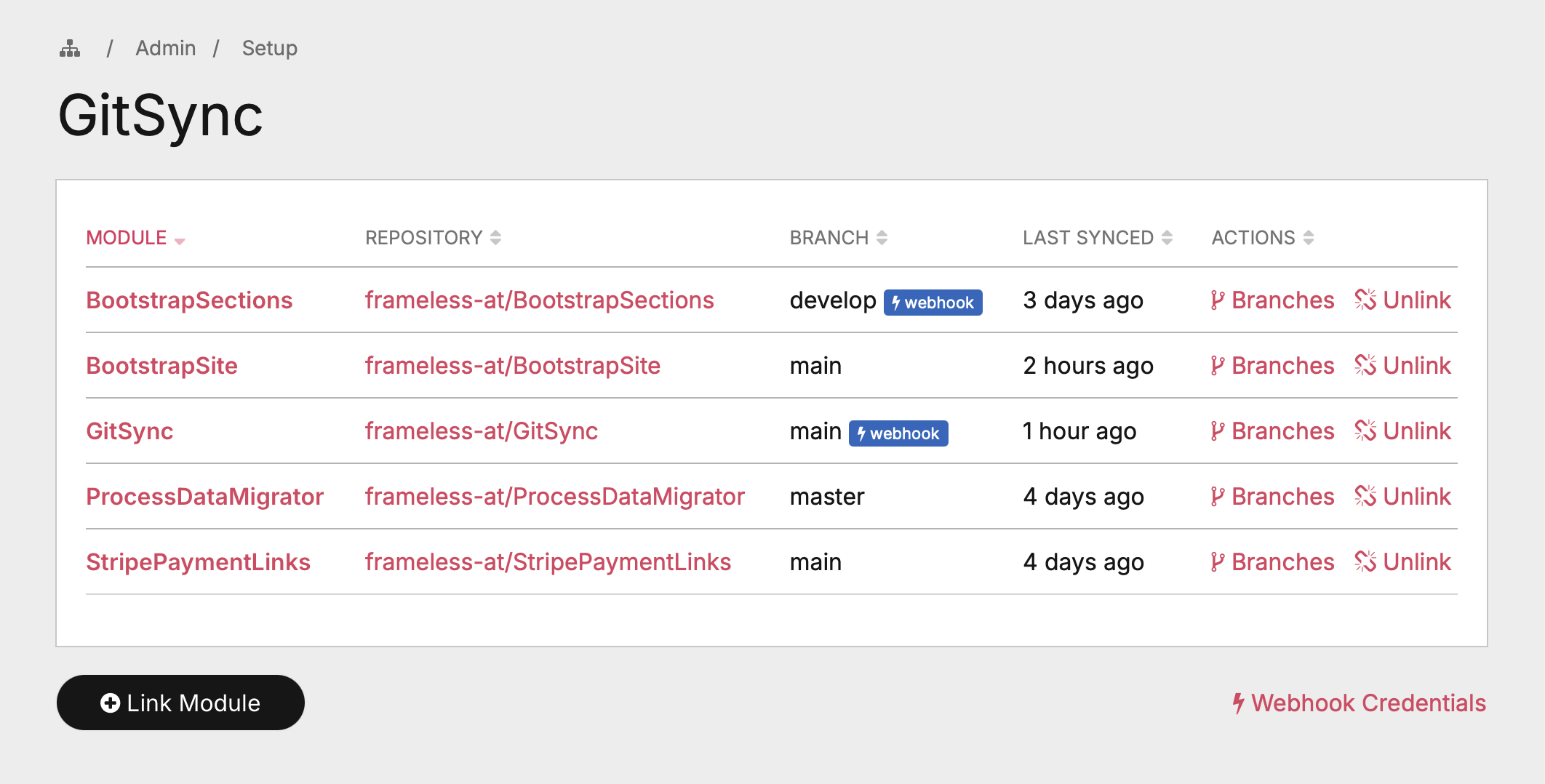
Features
- Differential sync – Compares git blob SHAs to detect changes, only downloads modified files
- Branch-level control – List all branches, sync any of them with one click
- GitHub Webhook support – Automatic sync on every push, no browser tab required
- Install from GitHub – Install new modules directly from a GitHub URL (public and private repos)
- No git required – Uses the GitHub REST API exclusively, no git binary needed on the server
- Update detection – Shows whether the synced branch is up to date or has new commits
- Private repo support – Authenticate with a fine-grained GitHub Personal Access Token
- Sync log – All operations are logged via ProcessWire's built-in log system
- Permission-based access – Dedicated
gitsyncpermission for role-based access control
Requirements
- ProcessWire >= 3.0
- PHP >= 7.4
- PHP cURL extension
Installation
- Copy the module files into
site/modules/GitSync/ - In the ProcessWire admin go to Modules > Refresh
- Install the GitSync module
- The module appears under Setup > GitSync
GitHub Token (recommended)
Go to Modules > Configure > GitSync and enter a GitHub Personal Access Token.
| Without token | With token | |
|---|---|---|
| Public repos | yes | yes |
| Private repos | no | yes |
| API rate limit | 60 requests/hour | 5,000 requests/hour |
Create a fine-grained token at GitHub > Settings > Developer settings > Personal access tokens with read-only access to Contents for the repositories you need.
Important: Under "Repository access", make sure all repositories you want to sync are included. If you select "All repositories", verify in the token settings that no leftover selection is limiting access.
GitHub Webhook (optional)
Set up a webhook to automatically sync modules whenever you push to GitHub.
- On the GitSync overview page, click Webhook Credentials to get the Payload URL and Secret
- In your GitHub repository go to Settings > Webhooks > Add webhook
- Payload URL: paste the URL from the modal
- Content type:
application/json - Secret: paste the secret from the modal
- Events: select "Just the push event"
- Click Add webhook
If no webhook secret is configured yet, the modal links you directly to the module settings.
Repeat steps 2–7 for each GitHub repository you want to auto-sync. Use the same secret and URL for all of them.
The webhook only triggers a sync for modules that have an actively tracked branch matching the pushed branch. If you push to main but a module tracks develop, nothing happens.
Usage
Link an installed module
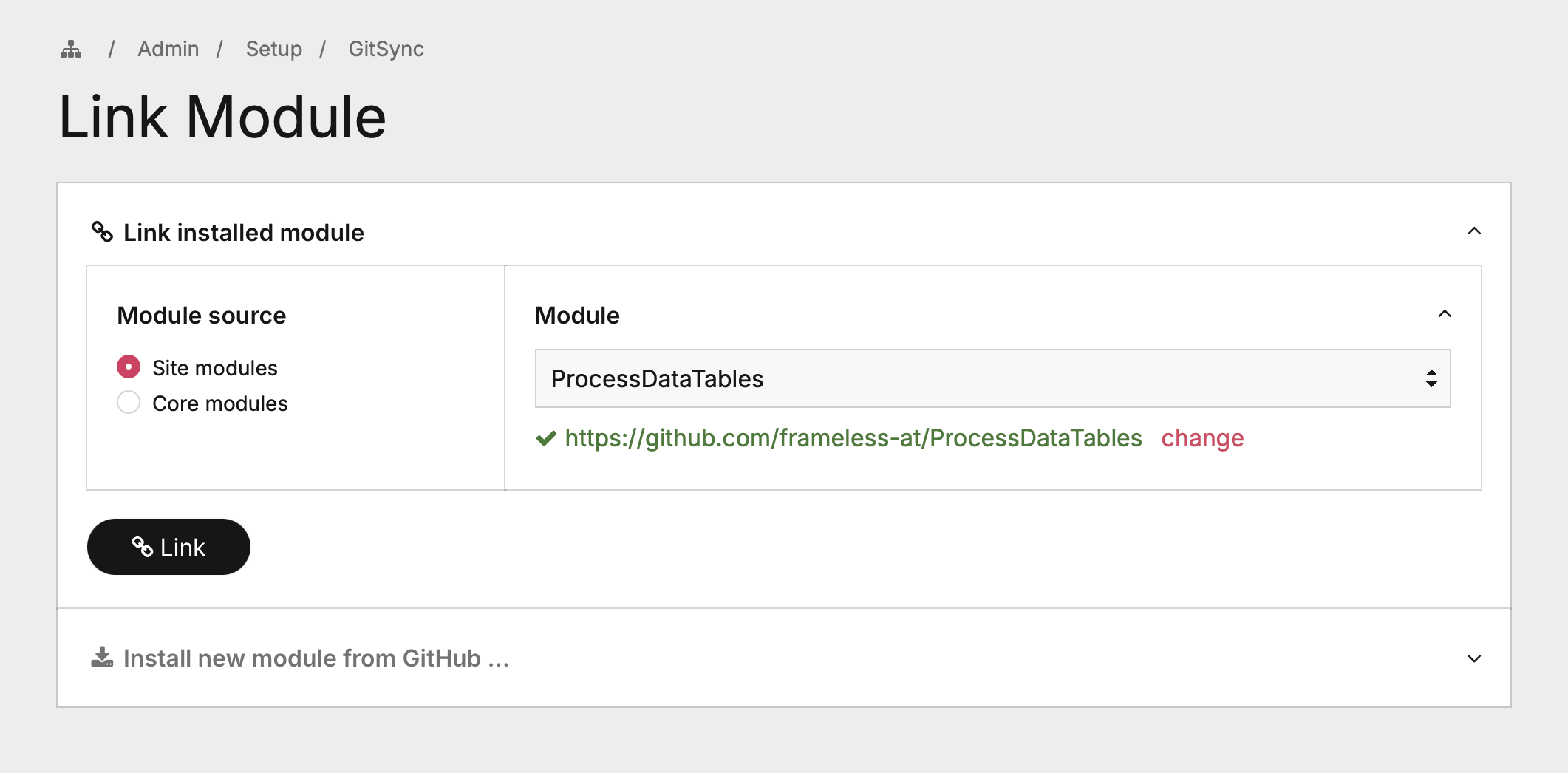
Click Link Module on the GitSync overview page. Select a module from the dropdown – GitSync automatically searches GitHub for a matching repository. You can also enter a repository URL manually.
Install a new module from GitHub
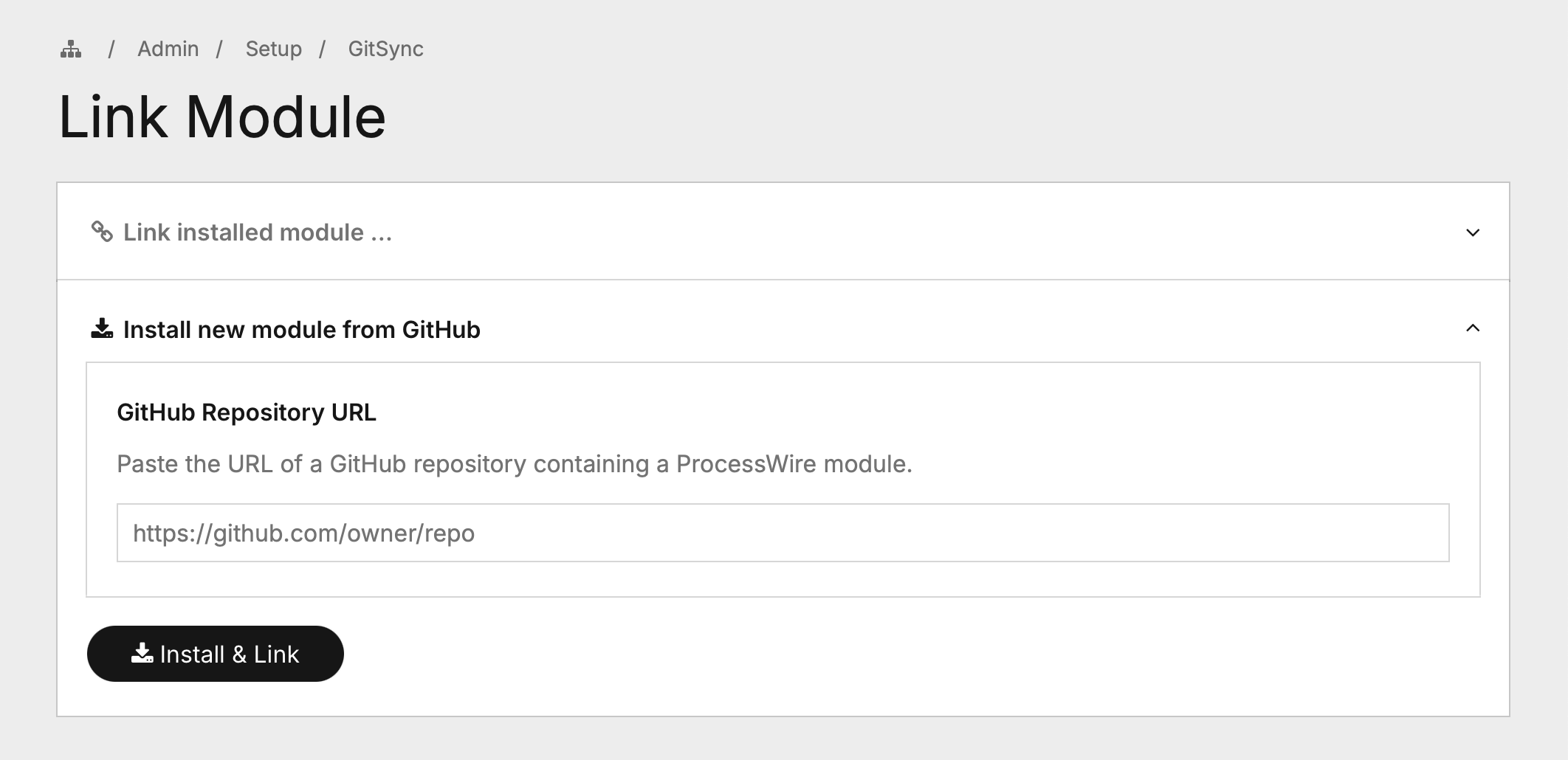
On the same page, expand Install new module from GitHub and paste the repository URL. GitSync downloads the module, installs it in ProcessWire, and links it automatically.
Browse branches
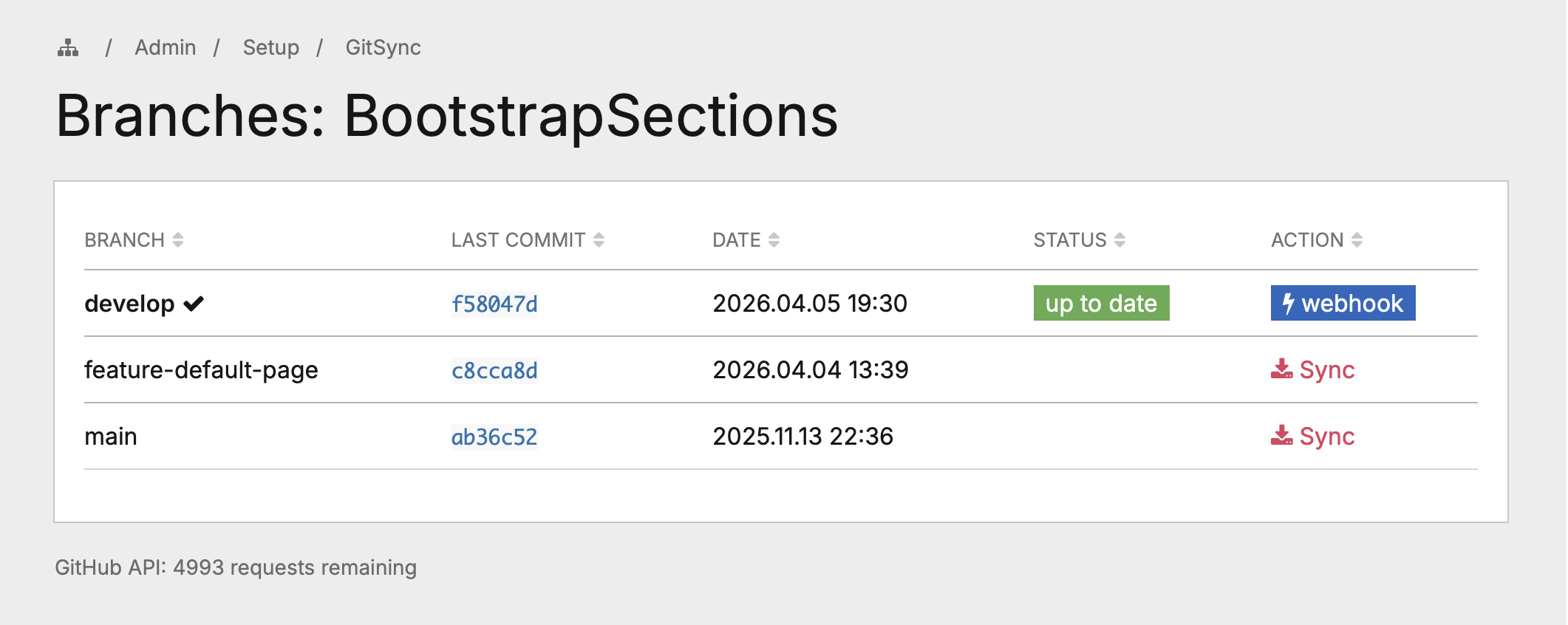
Click Branches next to a linked module to see all available branches with their latest commit SHA and date. The status badge shows up to date or updates available for the active branch.
Sync a branch
Click Sync next to any branch. GitSync performs a differential sync:
- Fetches the remote file tree via GitHub's Git Trees API (single request)
- Computes the git blob SHA (
sha1("blob {size}\0{content}")) for each local file - Compares SHAs – identical files are skipped
- Downloads only new or modified files via the Git Blobs API
- Deletes local files that no longer exist in the remote branch
- Cleans up empty directories
- Refreshes the ProcessWire module cache
The admin shows a summary: how many files were updated and deleted.
How Differential Sync Works
Git identifies file contents by their blob SHA – a hash computed as sha1("blob {filesize}\0{content}"). GitHub's Trees API returns this SHA for every file in a branch. GitSync computes the same hash locally. If the hashes match, the file is identical and doesn't need to be downloaded.
This means:
- Minimal data transfer – only changed files are downloaded
- No temp files – no zip archives or extraction needed
- Non-destructive – unchanged files keep their timestamps
- Accurate – uses the same content-addressing as git itself
File Structure
GitSync/
├── GitSync.module.php     Main Process module (admin UI + sync logic)
├── GitSyncAdd.js          JavaScript for the Link Module page
├── GitSyncConfig.php      Module configuration (token, webhook secret)
├── GitSyncGitHub.php      GitHub REST API client
├── LICENSE
└── README.md
Security
- Token storage: Stored in ProcessWire's module config (database), protected by admin authentication and the
gitsyncpermission. Use fine-grained tokens with minimal scope. - Webhook verification: HMAC-SHA256 signature verification (
X-Hub-Signature-256). Missing or invalid signatures are rejected with HTTP 403. - CSRF protection: All state-changing admin operations validate ProcessWire's CSRF token.
- Path validation: Remote file paths are checked for path traversal (
..) before writing. - Access control: Dedicated
gitsyncpermission. The webhook endpoint bypasses admin auth but requires a valid HMAC signature.
Limitations
- Very large repositories (100k+ files where GitHub truncates the tree response) are not supported for differential sync.
- Files that exist locally but not in the remote branch are deleted during sync. Don't store runtime-generated files inside module directories.
- Each changed file requires one API request. Syncing many changes consumes more API quota.
- Self-updating (syncing GitSync itself) works but may require a page reload.
License
MIT License – see LICENSE for details.
More modules by Mikel
ProcessDataTables
Displays customizable backend tables for any ProcessWire template with flexible column selection, per-field output templates, and global formatting options.26Textformatter Smart Quotes
Replaces straight quotes "..." with typographic quotes („...“, “...”, or «...»), in visible text only.18Stripe Payment Links Admin
View customer, purchases & products with configurable metadata columns & filters. Export reports to CSV.11StripePaymentLinks Customer Portal
Adds a ready-to-use /account/ page with login flow, product grid, purchase history table, and direct access to the Stripe Customer Billing Portal10Image Classes
Adds a CSS class selector for images in TinyMCE and CKEditor (admin + frontend editor).7