Collections
Configurable page collections with table UI and REST API
Collections — ProcessWire Module
Requires: ProcessWire 3.0.244+, PHP 8.2+
GitHub: github.com/mxmsmnv/Collections
Author: Maxim Semenov
Website: smnv.org
Email: maxim@smnv.org
If this project helps your work, consider supporting future development: GitHub Sponsors or smnv.org/sponsor.
The Problem
ProcessWire's default Page List is built for site structure — not data management. When you have thousands of pages as data records (products, listings, candidates, menu items), the default admin becomes painful fast:
- No table view. You see one page at a time, nested in a tree. Finding a specific record means clicking through folders or memorizing IDs.
- No inline filters. Want to see only unpublished products from Italy? You're writing a selector in the URL or building a custom admin page from scratch.
- No bulk actions. Publishing 200 seasonal items means 200 individual saves.
- No export. Getting your data out requires a custom template or a module.
- No REST API. Feeding a mobile app or a headless frontend means building endpoints yourself.
- No role scoping. Every editor sees every page. Limiting a franchisee to their own location's menu requires custom code.
Every ProcessWire developer has solved some version of this problem on every project. Collections solves it once.
What It Does
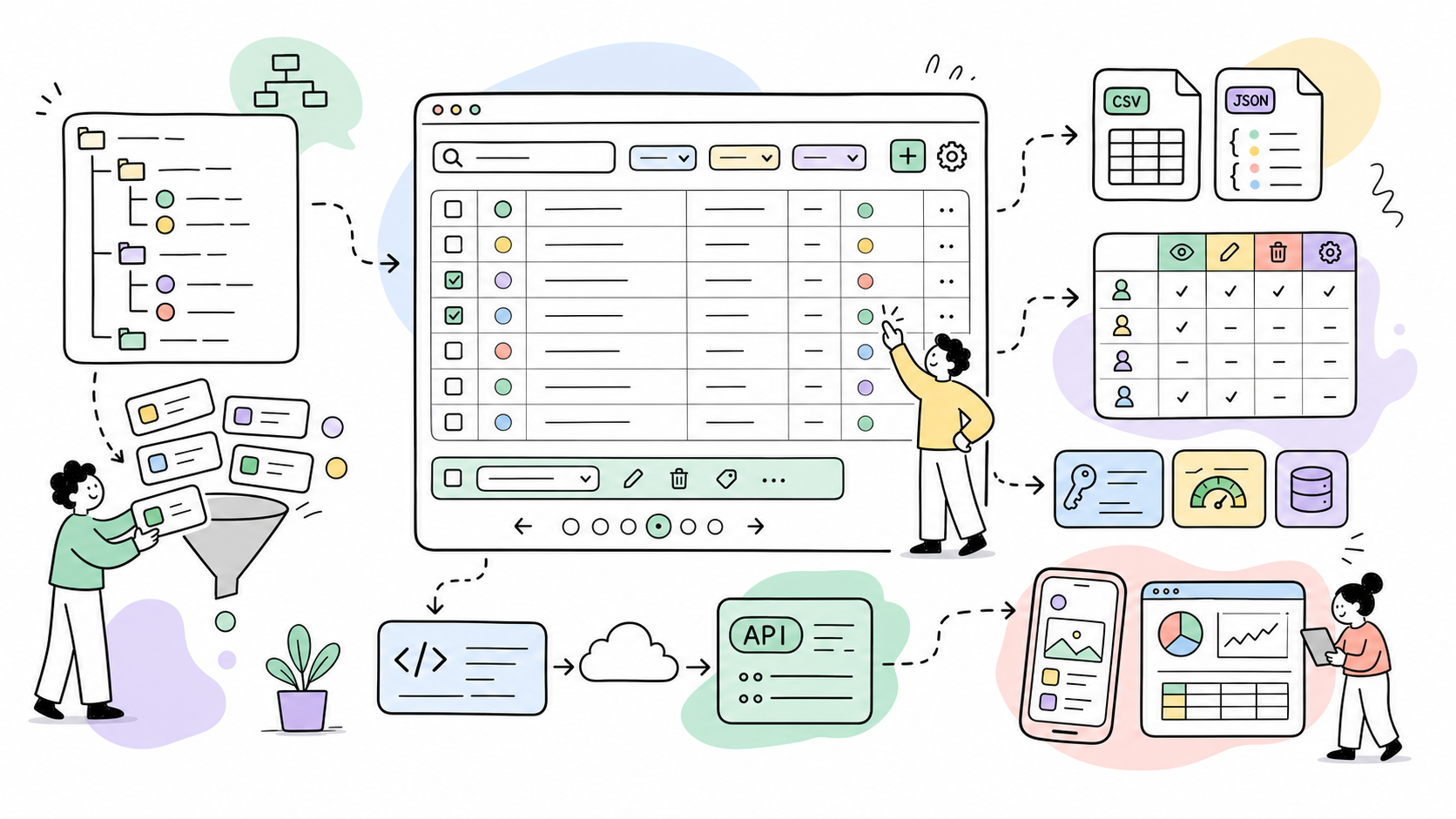
Collections gives any ProcessWire template a configurable admin table — with live search, dropdown filters, inline status toggles, bulk actions, CSV/JSON export, and a REST API — all configured through a UI, without writing code.
It installs as a dedicated section inside the ProcessWire admin. Editors get a professional, responsive interface. Developers get a REST API with zero boilerplate.
Real-World Use Cases
Product catalog (e-commerce) A spirits retailer manages 12,000+ products across ABV, country, region, brand, SKU, and size variants. Collections provides a filterable table where buyers bulk-publish seasonal items, export the filtered view to CSV for distributors, and jump to edit any row — without leaving the list.
Property listings (real estate)
An agency runs listings across multiple cities. Each agent sees only their own listings via the permissions matrix and a created_by selector. The manager sees everything and exports weekly JSON reports fed to a mobile app through the built-in REST API.
Job board / HR A company posts vacancies across departments. HR manages the full board; department heads see only their own roles. When a hiring round closes, one bulk action archives the filled positions. Status dots show at a glance what's live and what's in draft.
Restaurant chain / franchise A franchise with 40 locations manages its menu centrally. Each location's menu is a separate collection scoped by a selector. The head chef publishes globally; location managers toggle availability for their own restaurant only — same module, different permission roles.
Media / editorial A magazine team of writers and editors. Writers see their own drafts; editors see everything. Publish status is inline — no need to open each article. Bulk-scheduling a campaign batch takes seconds.
SaaS client portal A B2B platform manages client projects as ProcessWire pages. Each account manager sees only their client records. The REST API feeds a React dashboard with paginated, filtered data using Bearer token auth.
Headless CMS with Next.js / Nuxt / SvelteKit
ProcessWire as the content backend, Collections as the REST layer. Frontend frameworks fetch data from /api/products/?filter[category]=42&sort=modified&dir=desc. No custom API templates needed.
Mobile app backend
iOS/Android apps consume the Collections API. API keys with expiration dates and usage tracking provide per-app access control. The /schema/ endpoint lets the app self-describe available fields without hardcoding.
Features
Admin UI
- Configurable table columns per collection with custom labels
- User-definable sidebar groups, with
content,taxonomy,custom, and existing custom groups offered as suggestions - Live search with 300ms debounce, multi-field, including Page reference fields
- Dropdown filters for FieldtypePage and FieldtypeOptions fields
- Inline status toggle (publish / unpublish) via AJAX — no page reload
- Clickable rows with visual selection highlight themed to
--pw-main-color - Bulk actions: publish, unpublish, delete with CSRF protection
- Quick delete button per row (optional)
- Collapsible sidebar with persistent state (localStorage)
- "View in Collection" button injected into each page's edit form
- Admin UI colors adapt to ProcessWire's
--pw-main-colortheme variable
Data
- CSV and JSON export with current search/filter state preserved, toggleable per collection
- Configuration export / import as JSON
- Role-based permissions matrix (global and per-collection)
REST API
- Bearer token, query param (
?api_key=), HTTP Basic Auth, and PW session - API key management with optional expiration dates and enforced per-key capability scopes; keys never elevate to ProcessWire superuser
- SHA-256 hashed keys — raw key shown only once on creation
- Usage tracking: last used timestamp, request count
- Rate limit: 100 requests/minute per IP per collection (HTTP 429 on excess)
- WireCache support for GET responses (configurable TTL)
- Endpoints for list, read, create, update, delete, bulk actions, schema, and export, with collection-membership enforcement and CSRF protection for session writes
Field Types Supported Text, Textarea, Integer, Float, Checkbox, URL, Email, Color (hex), Date/Datetime, Image, File, FieldtypeFileB2, FieldtypePage (single and multi), FieldtypeOptions, MapMarker, Profields Table, Profields Textareas, Profields Multiplier, Profields Repeater Matrix, Profields Combo
Dot-notation column syntax
Subfields of composite ProFields can be addressed directly in the Columns setting using field.subfield notation. The renderer auto-detects field types at each level — no type prefix needed.
| Syntax | Field type | Result |
|---|---|---|
address.city | Combo | Single subfield value |
address.type | Combo (Radio) | Resolved label (e.g. brewery → Brewery) |
address.certification | Combo (Checkboxes) | All selected labels joined with , |
blocks.title | Repeater Matrix | Subfield from first item (any type) |
blocks.hero.title | Repeater Matrix | Subfield from first item of type hero |
blocks.hero.image | Repeater Matrix | Thumbnail from typed item |
media.property_photos.photos | Matrix → Repeater | First Repeater item's image field |
media.property_photos.photos_category | Matrix → Repeater | First Repeater item's Options field |
media.photo.property_photos.photos | Matrix[type] → Repeater | Typed Matrix item → Repeater → subfield |
prices.amount | Table | Column value from first row |
prices.*.amount | Table | All rows' amount values, joined with , |
options.*.wine.color | Matrix (wildcard) | color from all items of type wine, joined |
options.*.title | Matrix (wildcard) | title from all items regardless of type |
Installation
- Copy the
Collections/folder tosite/modules/ - In the admin go to Modules → Refresh
- Install Collections —
ProcessCollectionsinstalls automatically - Go to Admin → Collections → Configure to create your first collection
Quick Start
Go to Admin → Collections → Configure, click New Collection and fill in:
| Field | Example | Notes |
|---|---|---|
| Key | products | Lowercase slug, URL-safe, unique |
| Label | Products | Display name in sidebar and header |
| Template | product | ProcessWire template name |
| Selector | parent.name=shop | Optional extra PW selector to scope results |
| Columns | title, sku, brand, country, modified | Comma-separated field names |
| Search fields | title, sku | Fields queried by the search bar |
| Search related | enabled | Also search titles of related Page reference fields |
| Sort by | title | Default sort field |
| Sort dir | asc | asc or desc |
| Per page | 40 | Overrides global default (0 = use global) |
| Order | 10 | Position in the sidebar/dashboard group |
| Group | content | Sidebar group key. Use content, taxonomy, custom, or type a custom group name |
| Icon | fa-box | FontAwesome 4 icon class |
| Export enabled | enabled | Allows CSV / JSON export for this collection |
Group names are sanitized as ProcessWire names (a-z, 0-9, _, -). The configure form suggests the three built-in groups plus any custom groups already used by existing collections.
Global Settings
Admin → Collections → Configure → Global Settings
| Setting | Default | Description |
|---|---|---|
| Show ID column | on | Prepends the page id to every table |
| Show Status column | on | Colored dot: green=published, red=unpublished, yellow=hidden |
| Show Name column | off | Page name (URL slug) |
| Inline status toggle | on | Publish/unpublish without leaving the list |
| Quick delete button | off | Trash icon in each row's action column |
| Confirm batch delete | on | Confirmation dialog before bulk delete |
| Live search | on | Search fires as you type (300ms debounce) |
| Min search length | 2 | Minimum characters before search fires |
| Default per page | 25 | Rows per page when collection doesn't override |
| Date format | M j, Y | PHP date() format string for date fields |
| Thumbnail size | 32 × 32 | Width × height of image thumbnails in the table (32–128 px) |
| Enable REST API | off | Must be enabled to use any API endpoint |
| API base path | /api/ | URL prefix for all endpoints |
| Enable API cache | off | Caches GET responses using WireCache |
| Cache TTL | 300 | Cache lifetime in seconds |
REST API
Full API reference and code examples for cURL, JavaScript, PHP, Python, Next.js, and React Query are in API.md.
Admin Interface Language
The Collections admin interface uses ProcessWire's standard module translation mechanism (__('...') / $this->_(...) plus languages/*.csv).
Bundled admin translations are included in languages/*.csv for major European languages, including Albanian, Bosnian, Bulgarian, Croatian, Czech, Danish, Dutch, Estonian, Finnish, French, German, Greek, Hungarian, Icelandic, Irish, Italian, Latvian, Lithuanian, Macedonian, Maltese, Norwegian, Polish, Portuguese, Romanian, Russian, Serbian, Slovak, Slovenian, Spanish, Swedish, Turkish, and Ukrainian.
To install them: Modules → Collections / ProcessCollections → install translations (available when ProcessWire's core Language Support module is installed and at least one non-default language exists), choose the CSV for the target language, and submit. The Collections admin UI then follows the current ProcessWire admin language.
Custom Cell Rendering
Collections renders common ProcessWire field types automatically. Fields using InputfieldRockIcons render as RockIcons SVGs in the admin table when the RockIcons module is installed.
For project-specific display needs, hook CollectionRenderer::renderCellValue:
$wire->addHookAfter('CollectionRenderer::renderCellValue', function(HookEvent $event) {
    /** @var Page $page */
    $page = $event->arguments(0);
    $field = $event->arguments(1);

    if ($field !== 'priority') return;

    $value = (string) $page->getUnformatted($field);
    $class = $value === 'high' ? 'uk-label-danger' : 'uk-label';
    $event->return = "<span>" . wire('sanitizer')->entities($value) . '</span>';
});
The hook receives the page as argument 0, the field/column name as argument 1, and the renderer as $event->object.
Permissions
| Permission slug | Description |
|---|---|
collections-view | View collection pages and use the table UI |
collections-create | Create new pages via admin or API |
collections-edit | Edit pages, toggle status, bulk publish/unpublish |
collections-delete | Delete pages individually or in bulk |
collections-configure | Access the Configure tab, create/delete collections |
collections-export | Export collection data as CSV or JSON |
Assign permissions to roles under Access → Roles in ProcessWire, then configure which roles have which capabilities per collection under Configure → Permissions.
Database Tables
Four custom tables are created on install and dropped on uninstall:
| Table | Contents |
|---|---|
collections_items | Collection definitions stored as JSON rows |
collections_global | Global settings as key/value pairs |
collections_permissions | Role capability matrix (JSON per role) |
collections_api_keys | API keys — SHA-256 hash, prefix, expiry, usage stats |
File Structure
Collections/
 Collections.module.php          Autoload module — hooks, API routing, cache invalidation
 ProcessCollections.module.php   Admin Process — UI, bulk actions, configure
 src/
   Collection.php                Value object + PW selector builder
   CollectionConfig.php          DB-backed settings storage (4 tables)
   CollectionRenderer.php        HTML table + row renderer, ProFields support
   CollectionQuery.php           PW selector query execution + pagination
   CollectionPermissions.php     Role + capability permission checks
   CollectionExporter.php        CSV / JSON streaming export
   QueryParams.php               QueryParams + QueryResult value objects
   Api/
     CollectionApiRouter.php     REST router + rate limiter (100 req/min)
     CollectionApiHandler.php    CRUD handlers + field serialization
     CollectionApiResponse.php   JSON response wrapper
 views/
   layout.php                    Sidenav + main layout wrapper
   dashboard.php                 Dashboard with collection cards + counts
   collection-list.php           Collection table view + bulk bar
   configure.php                 Configure UI — collections, global, API, permissions, import/export
   partials/
     toolbar.php                 Search input + filter dropdowns
     pagination.php              Pagination widget
 assets/
   collections.js                Live search, AJAX toggle, bulk actions, row selection
   collections.css               Layout, table, sidebar, bulk bar, dark mode theming
 install/
   permissions.php               Creates 6 PW permissions on install
 API.md
 CHANGELOG.md
 README.md
Changelog
See CHANGELOG.md.
Author
Maxim Semenov
smnv.org · maxim@smnv.org
GitHub: github.com/mxmsmnv/Collections
More modules by Maxim Semenov
Ichiban (SEO control center)
Comprehensive SEO module: meta/OG/schema, audit, redirects, revisions, email reports.10Ally (a11y)
Self-hosted accessibility widget powered by Sienna (MIT). Adds font, contrast, language, and navigation tools to any page. No external CDN — the JS bundle is served from your own server.7Invite Access
Restricts site access to visitors with a valid invite code. Designed for staging environments with multiple teams.6